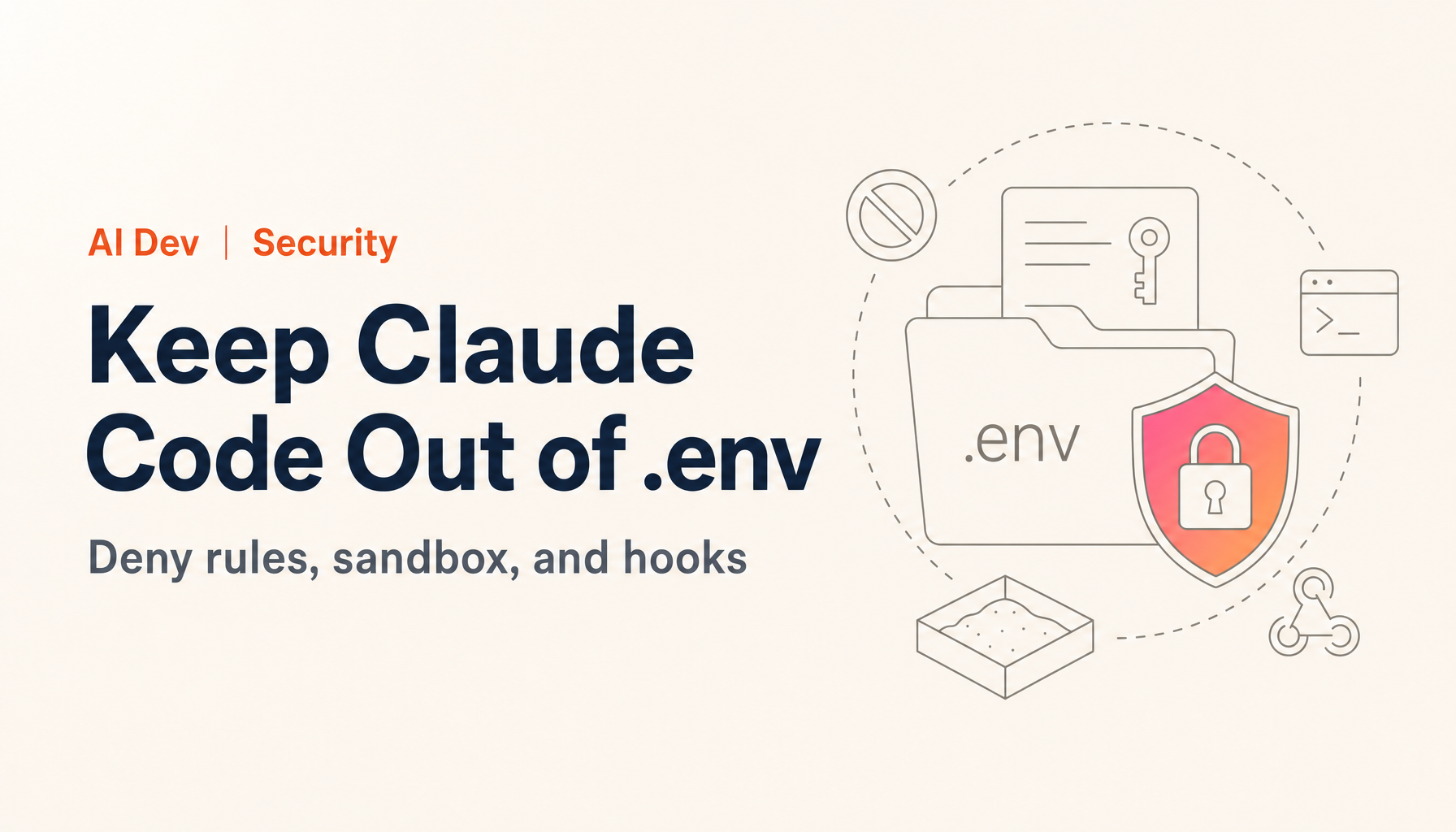
Hello, this is Ryuta Hamamoto from TIMEWELL. As more teams put Claude Code into their daily development work, one question keeps landing in my inbox: how do I make sure it never reads my .env? If you searched "claude code .env" and ended up here, this is the answer I give.
Here is the short version first.
Key points (as of October 4, 2026) The first step is adding
Read(.env)andRead(.env.*)topermissions.denyin settings.json. But according to the official docs, that rule only covers Claude Code's file tools and Bash commands that name the file, likecatandhead. It does not stop agrep -rsearch, a script that opens files on its own, or a dump of environment variables. Close those gaps with the sandbox (/sandbox) andsandbox.credentials, then add a PreToolUse hook and a pre-commit scan as backup.
Claude Code has changed a lot in six months. The Write(**/.env*) rule I recommended in the first edition (May 2026) is not consulted under the current spec. On macOS and Linux, file searches run through Bash's grep and find, and interactive sessions now start in auto mode by default. Each of these changes how you protect .env. For this update I reread Anthropic's official documentation page by page (checked October 4, 2026; the latest release is v2.1.288)1 and rewrote every example so it actually works.
If you are not yet sure who on your team is using AI agents, and how far, our AI literacy check can give you a quick baseline before you decide where to start.
Five ways a .env leaks out of Claude Code
A lot of people feel safe because .env is in .gitignore, or because CLAUDE.md says "don't read it." The first only prevents commits. The second has no enforcement. The docs are blunt about it: permission rules are enforced by Claude Code, not by the model, and instructions in your prompt or CLAUDE.md shape what Claude tries to do without changing what Claude Code allows2.
In April 2026, someone filed a GitHub issue describing exactly this: despite CLAUDE.md prohibitions, the contents of .env and .dev.vars ended up in the conversation through grep -n and the Read tool3. Claude ran grep -n to find a line, and the matching line came back with the key in it. Nothing malicious happened. A natural debugging move turned into a leak.
Here is how the leak paths break down.
| Path | What happens | What stops it |
|---|---|---|
| 1. File tools | The Read tool, @ mentions, files your IDE shares with Claude |
Read(...) rules in permissions.deny |
| 2. Bash commands that name the file | cat .env, head, tail, sed, and so on |
Same rules (only for commands Claude Code recognizes) |
| 3. Reads that don't name the file | grep -r KEY ., scripts that open files themselves |
The sandbox's read restrictions |
| 4. Runtime output | Test logs and error messages that print keys | Dummy values in .env.test, sandbox.credentials |
| 5. Environment variables | env, printenv, and inheritance by child processes |
sandbox.credentials.envVars, CLAUDE_CODE_SUBPROCESS_ENV_SCRUB |
Path 3 is the one people miss, and there's a reason. On macOS, Linux, and WSL, today's Claude Code leaves the Glob and Grep tools out of its default tool set and searches with find and grep through Bash instead4. So searches run as Bash commands, and a grep -r that never names .env slips past Read deny rules.
It also helps to know where leaked content goes. Whatever Claude Code reads is sent as part of the conversation to Anthropic's API, or to Amazon Bedrock or Google Cloud if that's your configured provider. Commercial accounts (Team, Enterprise, API) are retained for 30 days by default. Consumer accounts (Free, Pro, Max) are kept for five years if you allow your data to be used for model improvement, and 30 days if you don't. On top of that, a plaintext transcript sits in ~/.claude/projects/ on your machine for 30 days by default5. A sandbox does not change any of this: files Claude reads still get sent6. That is why not letting it read them is the best control you have.
Block .env reads with permissions.deny
Start with deny rules. Settings come in five layers. From highest precedence: managed settings your organization deploys, command-line arguments, .claude/settings.local.json (personal, per project), .claude/settings.json (shared with the team), and ~/.claude/settings.json (personal, all projects)7. List keys like permissions.deny merge instead of overriding, so writing rules in both your home file and the repo doesn't make either one disappear. Rules are evaluated deny, then ask, then allow, and a deny match wins even if a narrower allow rule also matches2.
Here's a team configuration for the repository's .claude/settings.json.
{
  "permissions": {
    "deny": [
      "Read(.env)",
      "Read(.env.*)",
      "Read(!.env.example)",
      "Read(.dev.vars*)",
      "Read(*.pem)",
      "Read(*.key)",
      "Read(*.p12)",
      "Read(*.pfx)",
      "Read(secrets/**)",
      "Read(~/.aws/**)",
      "Read(~/.ssh/**)",
      "Read(~/.config/gcloud/**)",
      "Read(~/.npmrc)",
      "Bash(printenv *)",
      "Bash(env)",
      "Bash(curl *)",
      "Bash(wget *)"
    ],
    "ask": [
      "Bash(git push *)"
    ]
  }
}
A few traps are worth knowing. A bare filename like Read(.env) follows gitignore semantics, so it matches .env at any depth under the current directory. That means Read(.env.*) also catches apps/web/.env.local deep inside a monorepo. The third line, Read(!.env.example), is a negation: it carves .env.example out of the rules listed before it in the same list. A sample file with variable names only is actually useful for Claude to read when it's debugging configuration.
The prefix on a path matters too. // means an absolute path, ~/ means your home directory, and no prefix means relative to the current directory. The confusing one is a single leading /, which anchors at the settings file's own location. Put Read(/secrets/**) in ~/.claude/settings.json and what does it protect? ~/.claude/secrets, not the secrets folder in your project2. In the home file, write paths without a leading slash, and use Read(//**/.env) only for files you want blocked anywhere on disk.
The Write(**/.env*) rule from the first edition does nothing under the current spec. File permissions are checked against Read and Edit rules only; a Write rule with a path is accepted but never consulted (from v2.1.210 you get a startup warning). Instead, a Read deny rule also blocks editing and creating files at the same path (edits from v2.1.208, new files from v2.1.228)2. The docs also state that .claudeignore has no effect, so if you have one, move its entries into deny rules.
Treat Bash rules as a backstop. Bash(curl *) blocks curl https://..., but not /usr/bin/curl or sh -c 'curl ...'. The docs say outright that a Bash deny rule isn't a security boundary around the program2. Rules are matched against each subcommand after splitting on |, &&, and similar operators, so the first edition's Bash(curl * | sh) doesn't catch the combination it was meant to. Network restrictions belong in the sandbox, covered next.
Once you've saved the file, open /permissions in Claude Code and confirm that each rule shows up along with the file it came from. Then ask Claude to show you the contents of .env. If it comes back saying the read is denied by your settings, the first layer is in place.
If you need to turn this into team policy: settings.json only covers the technical layer. Writing down which information must never be fed to an AI makes it much easier to hold contractors and new hires to the same bar. We publish a ready-to-edit adoption proposal and a 10-article usage policy that codify prohibited inputs and the handling of outputs, written along the Japanese Personal Information Protection Commission's alert of June 2, 2023. → Download the Generative-AI Adoption Proposal & Usage Policy Templates (Free. Your company name and work email are required.)
Looking for AI training and consulting?
Learn about WARP training programs and consulting services in our materials.
Close what deny misses with the sandbox
I'll quote the official warning directly. Read and Edit deny rules apply to Claude's built-in file tools, to file commands Claude Code recognizes in Bash such as cat, head, tail, sed, and tee, and to the targets of redirections like > file and < file. They don't apply to a command that reads files without naming them, such as grep -r pattern . run from the directory that holds the file, or to arbitrary subprocesses like a Python or Node script that opens files itself. For OS-level enforcement that blocks all processes from accessing a path, enable the sandbox2.
Auto mode matters here as well. From v2.1.283, interactive terminal and VS Code sessions start in auto mode by default, where a separate classifier model reviews actions so you see fewer approval prompts. In the documented decision order, reads inside your working directory are approved automatically without going to the classifier8. Deny rules sit at the very first step, so they still block in auto mode. Put the other way around: without a deny rule, a .env read goes through without anyone seeing it.
The sandbox is an OS-enforced boundary around the shell commands Claude runs and the processes they start. macOS uses the built-in Seatbelt framework; Linux and WSL2 use bubblewrap and socat. Native Windows isn't supported9. Run /sandbox in a session to open the settings panel; the mode you pick is saved to that project's .claude/settings.local.json. To use it everywhere, put it in your home settings.
{
  "sandbox": {
    "enabled": true,
    "failIfUnavailable": true,
    "filesystem": {
      "denyRead": ["~/.aws", "~/.ssh", "~/.config/gcloud"]
    }
  }
}
This is where the Read(...) deny rules from the previous section pay off: Claude Code adds them to the sandbox's read-deny list automatically10. With Read(.env) in place and the sandbox on, neither grep -r nor your test runner can open .env from inside the sandbox. By default, though, the sandbox can read most of the machine, including ~/.ssh and ~/.aws/credentials9, so close off home-directory credentials explicitly, as in the example. failIfUnavailable makes Claude Code exit with an error at startup when the sandbox can't start, instead of quietly running commands unsandboxed.
Test it on your own machine. The documented check is to ask Claude to run touch ~/sandbox-probe and confirm it fails with Operation not permitted (or Read-only file system on Linux). Commands you type yourself at the ! prompt usually run outside the sandbox, so they don't count as a test. For .env, put a throwaway project together with a .env that holds nothing but a dummy line like CHECK_VALUE=not-a-secret, then ask Claude to run grep -r CHECK_VALUE .. If the read fails, the sandbox is doing its job.
The sandbox has limits. It covers Bash, PowerShell, and Monitor commands only. File tools like Read are governed by permission rules, and hooks and MCP servers run outside the sandbox9. In August 2026 a user also reported that a .env read restriction wasn't enforced for a compound command run inside a subagent; the issue was still open as of October 411. Don't trust any single layer with everything. Stack them.
Keep secrets out of environment variables and test output
By default, sandboxed commands inherit Claude Code's environment, secrets included9. If the shell you launched Claude Code from holds a production key, one env puts it in the conversation. sandbox.credentials is how you close that.
{
  "sandbox": {
    "enabled": true,
    "credentials": {
      "envVars": [
        { "name": "OPENAI_API_KEY", "mode": "deny" },
        { "name": "STRIPE_SECRET_KEY", "mode": "deny" },
        { "name": "GITHUB_TOKEN", "mode": "deny" }
      ],
      "files": [
        { "path": "~/.aws/credentials", "mode": "deny" }
      ]
    }
  }
}
Variables marked deny are unset before each sandboxed command runs9. There's no built-in deny list, so you name each one yourself. The other mode, mask, shows commands a placeholder and has the sandbox proxy swap in the real value only on outbound requests. Logs only ever see the placeholder, so it helps with path 4 too, but it requires TLS termination (network.tlsTerminate) and is honored only from user settings, managed settings, or the --settings flag (v2.1.221 and later)10. I'd start with deny and move to mask once you know which tools need real credentials.
If you want coverage that doesn't depend on the sandbox, launch Claude Code with CLAUDE_CODE_SUBPROCESS_ENV_SCRUB=1. It strips Anthropic and cloud provider credentials, and any other variable Claude Code recognizes as a credential, from the environments of Bash tool, hook, and MCP server subprocesses12.
Test output deserves attention as well. Ask Claude to "run the tests" and npm test or pytest runs. A test that fails to connect may dump the whole request, auth header included, and a database error may print a connection string with the password in it. Claude never opened .env, yet the key still landed in the conversation.
The fix is simple: don't give tests real values. Keep a .env.test with dummy values you wouldn't mind leaking, and have your test config load that file and nothing else. Letting a framework layer several env files automatically is how real values creep in.
// vitest.config.ts (loads .env.test only)
import { readFileSync } from "node:fs";
import { parse } from "dotenv";
import { defineConfig } from "vitest/config";

export default defineConfig({
  test: {
    env: parse(readFileSync(".env.test")),
  },
});
# conftest.py (loads .env.test only)
from dotenv import load_dotenv

def pytest_configure():
    load_dotenv(".env.test", override=True)
Make the dummy values obviously fake, like sk_test_not_a_real_key. Dummies that look exactly like real keys are hard to tell apart later, and every review turns into a double-check.
So what's the real fix? Keep production values off the disk entirely. Inject them only at run time, for example with the 1Password CLI's op run, and the .env file stops existing. One caveat: if you inject them into the shell that launches Claude Code, child processes inherit them and you're back on path 5. The clearest line I know is this: production values are handled outside the Claude Code session.
Add a PreToolUse hook as a final net
Deny rules and the sandbox stop most of this. A PreToolUse hook is still worth adding as a safety net. The hook runs before a tool call, receives JSON on stdin, and blocks the call if it exits with code 2. Whatever it writes to stderr is passed to Claude as the reason13.
{
  "hooks": {
    "PreToolUse": [
      {
        "matcher": "Bash",
        "hooks": [
          {
            "type": "command",
            "command": "${CLAUDE_PROJECT_DIR}/.claude/hooks/block-secret-commands.sh",
            "args": []
          }
        ]
      }
    ]
  }
}
#!/bin/bash
# .claude/hooks/block-secret-commands.sh
# Block Bash commands that open .env files or dump environment variables
cmd=$(jq -r '.tool_input.command // empty')

# Commands that name .env / .env.local / .env.production etc. (.env.example and .env.test are allowed)
hits=$(printf '%s\n' "$cmd" \
  | grep -oE '(^|[^[:alnum:]_.-])\.env[[:alnum:]_.-]*' \
  | grep -E '\.env(\.[[:alnum:]_.-]+)?$' \
  | grep -vE '\.env\.(example|sample|template|test)$')
if [ -n "$hits" ]; then
  echo "Commands that open .env files are blocked in this project. Ask a person for the value you need." >&2
  exit 2
fi

# printenv, and env / export -p / set with no arguments (they print every variable)
if printf '%s\n' "$cmd" | grep -Eq '(^|[;&|(][[:space:]]*)printenv([[:space:]]|$|[;&|)])|(^|[;&|(][[:space:]]*)(env|export -p|set)[[:space:]]*($|[;&|)])'; then
  echo "Commands that list environment variables are blocked." >&2
  exit 2
fi

exit 0
Make the script executable with chmod +x and install jq. Three behaviors are worth knowing. First, always block with exit 2. exit 1 counts as a non-blocking error, and the call goes through. Second, a hook that times out doesn't block either. Third, @ file mentions don't involve a tool call at all, so this hook never fires for them; Read deny rules cover that case13.
This hook only matches text, so a differently worded command can get around it. That's exactly why I'd set a team rule: if Claude gets blocked and starts rephrasing the command to get through, stop and have a person look. The hooks system as a whole is covered in The Complete Guide to Claude Code Hooks.
Apply the same scrutiny to skills. Some skills that call external APIs expect the key in a .env file inside the skill's folder, which puts a credential right where Claude can read it. I covered what to check when picking skills in the safety section of The 52 Best Claude Code Skills.
Scan before commit and roll it out to the team
Separately from Claude Code, people still commit .env files and keys by hand. To catch that at the exit, run the gitleaks secret scanner before each commit (the latest is v8.30.1, released March 21, 2026)14. With the pre-commit framework, add this file at the repository root and run pre-commit install.
# .pre-commit-config.yaml
repos:
  - repo: https://github.com/gitleaks/gitleaks
    rev: v8.30.1
    hooks:
      - id: gitleaks
Without the framework, put the single line gitleaks git --pre-commit --redact --staged --verbose in .git/hooks/pre-commit and make it executable. It scans only staged changes and redacts whatever it finds. Since .git/hooks isn't shared through the repository, a team should standardize on the pre-commit framework or add a CI scan (gitleaks-action). Run gitleaks git -v once to check your history, too.
For teams and organizations, don't leave all of this to each developer. Ship it through managed settings, which take top precedence and can't be overridden. Put sandbox.failIfUnavailable there and Claude Code won't start without a working sandbox; permissions.disableBypassPermissionsMode blocks the skip-all-prompts mode; allowManagedPermissionRulesOnly makes only the managed rules count10. For long unattended runs, choose a dev container or a virtual machine so the whole Claude Code process sits inside the boundary6. For the wider picture of organizational use, see How to use Claude Code across an organization.
Decide in advance what happens after a leak. Treat any key that showed up in the conversation as compromised; revoke it at the issuer and replace it. Deleting it from the chat doesn't undo anything. The local transcript stays in plaintext under ~/.claude/projects/, and cleanupPeriodDays lets you shorten how long it's kept. Don't send that session through /feedback, which retains transcripts for five years5.
Getting this to stick takes people who understand why the rules exist, not just a settings file. For teams in Japan, we run WARP, our AI consulting and training program, which includes building this kind of internal standard.
What changed since the May 2026 edition (then vs. now)
In five months, several assumptions behind the original setup changed. If you're still running the first edition's configuration, check it against this table.
| Item | First edition (May 2026) | Now (October 4, 2026) |
|---|---|---|
Blocking writes to .env |
Recommended Write(**/.env*) |
Write path rules aren't consulted. A Read deny also blocks edits and new files |
| How search runs | Assumed the Grep and Glob tools | Bash grep and find by default on macOS, Linux, and WSL. Searches that don't name the file are outside deny rules |
| Default permission mode | Written with manual approval in mind | From v2.1.283, interactive sessions start in auto mode. Reads in the working directory pass without classifier review |
.claudeignore |
Not mentioned | Officially documented as having no effect. Move entries to deny rules |
| Protecting environment variables | Not covered | sandbox.credentials with deny and mask, plus CLAUDE_CODE_SUBPROCESS_ENV_SCRUB |
| Containers | A homemade image that mounted an empty file over .env |
Pick from the official dev container, the sandbox runtime, or a VM based on your threat model |
Looking back over the six months, the pattern is clear: problems got reported first, and the spec caught up later. In January 2026, The Register reported that secret files were read even with a .claudeignore in place, and that only permissions.deny reliably worked (v2.1.12 at the time; per the article, Anthropic did not respond to a request for comment)15. Today's docs state plainly that .claudeignore has no effect and spell out where deny rules apply (including Bash file commands and redirect targets) and where they don't. The sandbox has also gained settings for protecting credentials.
The "right" configuration will keep moving. What I've written here may be out of date in six months. My cheapest habit: after every Claude Code update, open /permissions and /sandbox and read the startup warnings. A rule that's accepted but never consulted only shows up there.
Summary: six things to check today
Before your next Claude Code session, confirm these six.
.claude/settings.jsonhas deny rules forRead(.env)andRead(.env.*), and they appear in/permissions- The sandbox is on, and you've seen
touch ~/sandbox-probefail - The environment variables you care about are listed in
sandbox.credentials.envVars - Tests read dummy values from
.env.testonly - gitleaks runs before commit and in CI, and you've scanned your history once
- There's a named owner and a written procedure for revoking keys after a leak
Handing development to an AI agent is a bit like adding several new teammates who read every file in the project. CLAUDE.md is a sign on the cabinet saying "please don't open." A deny rule is the lock on the cabinet, the sandbox is the lock on the room, and dummy values mean that even an opened drawer is empty. No single one of them is enough. Stacked together, they let you hand over the work without holding your breath.
The setup itself takes well under a day. The hard part is keeping the same standard across every teammate, every contractor, and everyone who joins later. If you want help building that, get in touch about WARP.
References
Footnotes
-
npm, "@anthropic-ai/claude-code," latest 2.1.288 (updated October 3, 2026). https://www.npmjs.com/package/@anthropic-ai/claude-code ↩
-
Anthropic, "Configure permissions," Claude Code Docs (checked October 4, 2026). https://code.claude.com/docs/en/permissions ↩ ↩2 ↩3 ↩4 ↩5 ↩6
-
GitHub anthropics/claude-code Issue #44868, "Claude Code exposes secrets from .env / .dev.vars files via grep -n and Read tool, despite CLAUDE.md prohibitions" (April 7, 2026). https://github.com/anthropics/claude-code/issues/44868 ↩
-
Anthropic, "Tools reference," Claude Code Docs (checked October 4, 2026). https://code.claude.com/docs/en/tools-reference ↩
-
Anthropic, "Data usage," Claude Code Docs (checked October 4, 2026). https://code.claude.com/docs/en/data-usage ↩ ↩2
-
Anthropic, "Choose a sandbox environment," Claude Code Docs (checked October 4, 2026). https://code.claude.com/docs/en/sandbox-environments ↩ ↩2
-
Anthropic, "Settings files and precedence," Claude Code Docs (checked October 4, 2026). https://code.claude.com/docs/en/settings ↩
-
Anthropic, "Choose a permission mode," Claude Code Docs (checked October 4, 2026). https://code.claude.com/docs/en/permission-modes ↩
-
Anthropic, "Configure the sandboxed Bash tool," Claude Code Docs (checked October 4, 2026). https://code.claude.com/docs/en/sandboxing ↩ ↩2 ↩3 ↩4 ↩5
-
Anthropic, "All settings," Claude Code Docs (checked October 4, 2026). https://code.claude.com/docs/en/settings-reference ↩ ↩2 ↩3
-
GitHub anthropics/claude-code Issue #87216, "Sandbox file-read deny rule (.env*) not enforced for compound Bash commands in Agent-dispatched subagents" (August 16, 2026; open as of October 4). https://github.com/anthropics/claude-code/issues/87216 ↩
-
Anthropic, "Environment variables," Claude Code Docs (checked October 4, 2026). https://code.claude.com/docs/en/env-vars ↩
-
Anthropic, "Hooks reference," Claude Code Docs (checked October 4, 2026). https://code.claude.com/docs/en/hooks ↩ ↩2
-
gitleaks official repository (v8.30.1, released March 21, 2026). https://github.com/gitleaks/gitleaks ↩
-
The Register, "Claude Code's prying AIs read off-limits secret files" (January 28, 2026). https://www.theregister.com/2026/01/28/claude_code_ai_secrets_files/ ↩
![Anthropic Claude Security Deep Dive [2026-May Update]: How the Opus 4.7-Powered Vulnerability Scanner Works and Integrates with the Enterprise Stack](/images/columns/anthropic-claude-security-public-beta-guide/cover.en.png?dpl=dpl_5ivGVAt7TijSk3b1eX4vsuKH256B)