 AI Agent for Manufacturing
Drawings, quotes, and
cost estimates — handled by AI
Turn scanned drawing PDFs into editable DXF files. Convert 2D drawings into 3D STEP models. Hand ZEROCK a drawing and get a draft quote. An AI agent that takes on the daily work of manufacturing design and sales teams.
7-day free trial — demos with your actual drawings available
How much of your day goes to drawing-related busywork?
These are the frustrations we hear every day from design and sales teams in manufacturing.
In the design department
Old drawings only exist on paper or as scanned PDFs
You want to reuse them in CAD, but there is no data — so you redraw from scratch and lose half a day.
"We had a similar drawing somewhere" — but you can never find it
Back and forth between file servers and cabinets. Thirty minutes of searching, often for nothing.
Customers ask for 3D data you do not have
All you have is the 2D drawing. Every remodeling job swallows a full day of design time.
Veteran know-how lives only in someone's head
Tolerance decisions, machining quirks — only a few people can answer. What happens when they retire?
In the sales department
Every quote means chasing down design or production
You cannot read processes and hours from the drawing yourself, so one quote takes two or three days.
Quote accuracy depends on who writes it
Veterans answer instantly; junior staff get stuck. Pricing rationale is trapped in individual heads.
Pricing decisions without a clear view of costs
Material and machining costs are tallied by hand. "Will we actually make money on this?" never goes away.
Technical questions you cannot answer on the spot
"Let me check and get back to you." While the customer waits, the deal goes cold.
What we often hear
We lost an order because our quote came back too slowly. If only we could read hours straight from the drawing.
Outsourcing drawing-to-CAD conversion costs money and days for every single sheet.
Cost estimation depends on one veteran. When he is out, pricing stops.
Hand over a drawing. ZEROCK does the rest.
ZEROCK's Drawing AI takes over the drawing-related work that used to depend on manual effort. All you do is upload a drawing.
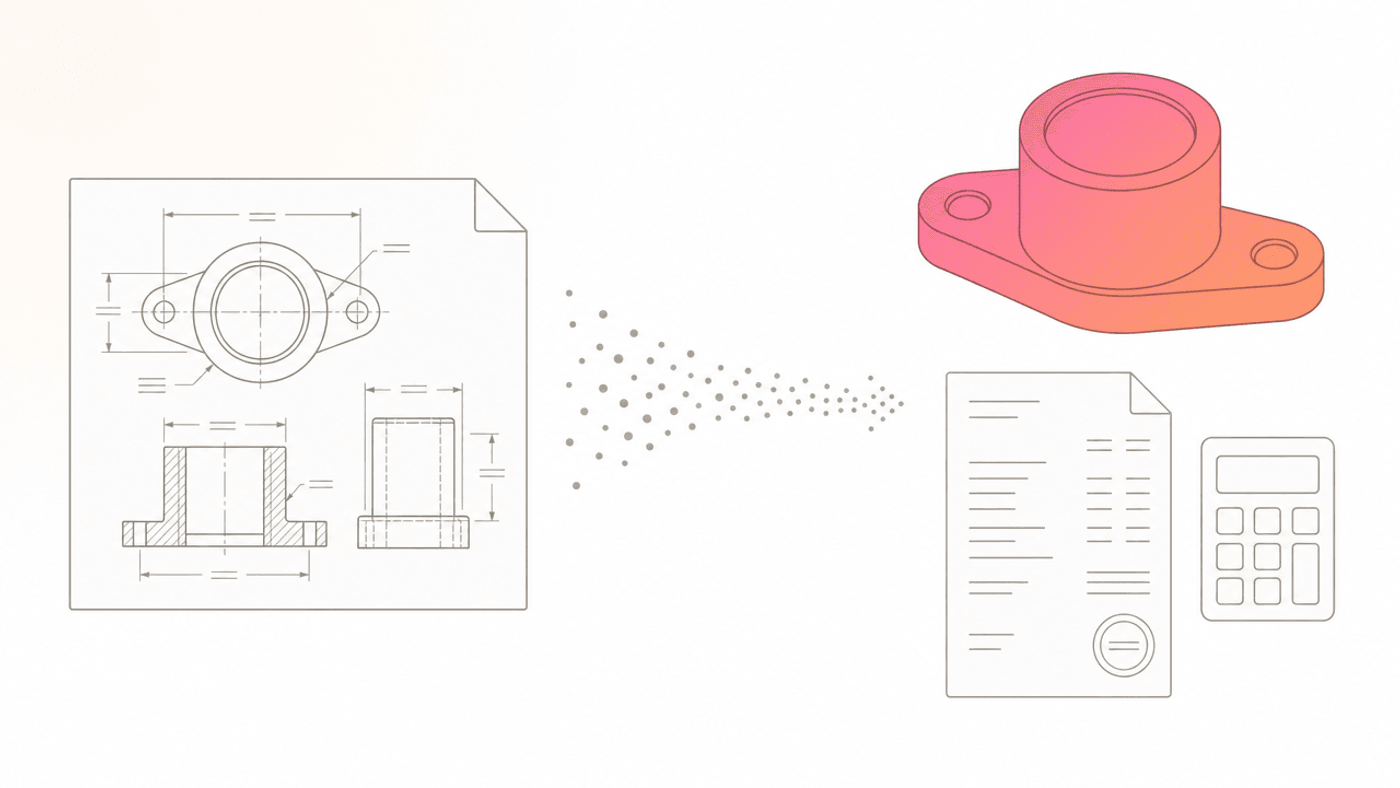
Upload a drawing—Scanned PDFs and images of paper drawings work too
Drawing PDF → DXF conversion
Convert scanned paper drawings and image PDFs into editable DXF data. No more redrawing from scratch.
2D drawing → 3D model (STEP)
Generate 3D STEP files from 2D drawings, ready to hand to customers and downstream processes.
Quotes from drawings
ZEROCK reads the drawing and drafts a quote based on the machining involved. The more past quotes you teach it, the closer it gets to your pricing.
Cost estimation
AI-assisted material and machining cost breakdowns. Register your own cost tables to make pricing rationale explicit.
Accuracy varies with the type and condition of the drawing. Start by testing with your own drawings.
A day in the life of Tanaka (42), design section chief at a parts maker
How work changes before and after ZEROCK (an illustrative example)
Before ZEROCK
"Where was that drawing again?" — digging through the file server
30 min of searching
Customer asks for 3D data. Remodeling from the 2D drawing
Half a day gone
Sales asks: "How much to quote for this drawing?"
1 hour estimating hours
Redrawing a scanned drawing in CAD
2 hours per sheet
Answering a junior engineer’s machining questions
30 min
Finally starting his own design work...
"Searching, redrawing, answering questions — and the day is gone..."
3 months after
"Find me similar drawings"
Candidates in 1 second
Upload scanned drawing → convert to DXF
Editable in minutes
Generate a 3D model (STEP) from the 2D drawing
Straight to the customer
Sales’ quote request? Just review the AI draft
Answered same day
Junior staff questions answered by AI from accumulated knowledge
Focused on real design work
"I can finally focus on actual design work."
The results in numbers
| Item | Before | After | Impact | |
|---|---|---|---|---|
| Time spent searching for drawings & documents | 10 h/week | 2 h/week | 80% less | |
| Converting scanned drawings to CAD | 2 h per sheet | Minutes | No outsourcing | |
| Quote turnaround | 2–3 days | Same day | Fewer lost orders | |
| Creating 3D data | A full day | Tens of minutes | Dramatically faster |
See how your work changes in 7 days
Full features, 7 days free. Experience the impact before you commit.
Start 7-day free trialBuilt so you can trust it with your drawings
Drawings and technical documents are core company assets. ZEROCK is designed with security and verified accuracy as first principles.
Cloud storage is encrypted in the AWS Japan Region. Some of the newest models infer in a global region.
Measured reduction in information-search time at client companies
Operated under an ISO/IEC 27001-certified security program
Verify the results with your own drawings and documents before adopting
Security
Four safeguards for your drawings and technical data
Your data is never used for AI training
Claude can be pinned to a Japan Region via Amazon Bedrock. Some of the newest models infer in a global region. In all cases, we do not retrain models on your data.
AWS Japan Region, encrypted
The cloud runs in AWS’s Japan (Tokyo) Region. Data at rest and in transit is encrypted. Inference is Japan or global, depending on the model.
Access control by department and role
Control exactly who can see which information, down to department and role level.
Dedicated onboarding support
A dedicated support member walks with you from organizing drawing data to full adoption on the shop floor.
Why Is ZEROCK So Accurate?
Proprietary hybrid search technology delivers precise answers from massive internal data
The Problem with Typical AI Search
Most AI search tools use "vector search" technology, but accuracy drops dramatically as internal data volume grows.
ZEROCK combines three search technologies in a hybrid search approach, finding accurate information even in tens of thousands of documents.
Knowledge Graph (GraphRAG)
Understanding Relationships
Grasps connections like "Department A's relationship to Department B" or "inquiries related to this product" to improve search accuracy
Semantic Search
Understanding Meaning
Automatically recognizes synonyms like "complaint" and "grievance", "sales" and "revenue" when searching
Keyword Search
Exact String Matching
Handles cases requiring exact matches like product numbers "ABC-123" or proper nouns
Customer Success Stories
Results from companies using ZEROCK
Manufacturing Company A
800 employees
After registering our past proposals as knowledge, high-quality slides appear instantly for new projects. Our entire team's proposal quality has improved.
Slide creation time
IT Company B
300 employees
HR and admin staff are freed from answering the same questions repeatedly. They can focus on core work now, significantly boosting team productivity.
Auto-response rate
Service Company C
150 employees
With AI Colleague available to answer any question, new hires can ask without hesitation. Training costs have been significantly reduced.
Onboarding time
Beyond drawings, ZEROCK handles the rest too
Automatic meeting minutes, company-wide document search, auto-generated proposals and spreadsheets — everyday efficiency beyond drawings, all in one platform.
AI that autonomously researches and completes tasks
Just give instructions — from information gathering to document creation. ZEROCK works as your extra team member
Research the latest developments of 3 competitors for next week's board meeting, create a comparison table in Excel, and prepare a summary slide deck.
Done in 3 Steps
Give Instructions
Just describe what you need in plain language. No technical skills required
AI Works Autonomously
From gathering information to analysis and file creation — AI handles it all
Receive Deliverables
Get editable files in Excel, Word, PowerPoint, and more
Run any Smart Agent on a cron-like schedule
Set a schedule once and ZEROCK runs your Agent Mode prompt daily, weekly, or monthly — completely hands-off.
Set up as personal tasks. Every Smart Agent skill is supported.
- 9 AM daily: post competitor news to Slack
- Every Monday: report last week's inquiries by CRM segment
- 1st of every month: save monthly report to Drive
- 5 PM each business day: remind owners of pending CRM deals
Agent Mode Deliverables
Research & Analysis Reports
PDF / MarkdownCross-search internal and external data to auto-generate analysis reports
- Competitive research & market analysis
- Cross-referencing internal knowledge bases
- Data-driven insight extraction
Excel / Spreadsheets
.xlsxAutomated data analysis, table creation, and formula configuration
- Revenue data aggregation & pivot analysis
- KPI dashboards & tracking sheets
- Comparison tables & automated summaries
Word / Documents
.docxAuto-generate business documents with proper formatting
- Meeting notes & status reports
- Proposal & planning document drafts
- Contract review & summarization
PowerPoint / Slides
.pptxAuto-generate presentations from structure to design
- Board meeting presentation decks
- Sales proposal presentations
- Internal training & education materials
Audio Data Processing
MP3 / WAV / M4AAutomatically transcribe and summarize meeting recordings and call data
- Meeting transcription & summary reports
- Call center VoC analysis
- Multilingual audio translation & minute creation
Image & Design Analysis
PNG / JPG / PDF (handwriting supported)Digitize handwritten documents at 90%+ accuracy with AI-OCR. Analyze design tone & manner
- Handwritten Japanese AI-OCR (90%+ accuracy)
- Image tone & manner analysis reports
- Blueprint & drawing structured data conversion
Enterprise-Grade Security
Enterprise security standards that eliminate the risks of locally-executed AI
A dedicated virtual machine (sandbox) spins up for each task, ensuring AI operates in a fully isolated environment.
- Isolated virtual PC per task
- Data auto-deleted on virtual PC shutdown
- Cloud runs in the AWS Japan Region
- Some newest models use a global region. No retraining.
Secure Sandbox Environment
The moment your meeting ends, notes and action items arrive
Auto-recording, transcription, summaries, and action item extraction — all built into ZEROCK. No need for tl;dv or Otter.ai.
Auto-Detect
Automatically detects meetings from your calendar and prepares recording
Real-Time Capture
Auto-recording, real-time transcription, and participant tracking
AI-Generated Notes
Automatically creates structured meeting notes and extracts action items
Next Actions
Registers TODOs in your calendar, stores notes in the knowledge base, and notifies via Slack
80+ AI skills to automate every workflow
Two-tier system: Standard skills (auto-detected) and Specialized skills (user-selected). Just tell ZEROCK what you need — it picks the right skills automatically.
Research & Analysis
12 skillsDocument Generation
15 skillsExternal Integrations
32+ skillsCommunication
8 skillsBrowser Automation
6 skillsScheduling & Automation
8 skillsCreative
5 skillsSecurity & Governance
Directly connected to 32+ external services
AI agents operate external service APIs directly. Automate everything from data retrieval to updates.
Directly connected to 32+ external services
CRM / Project Management
Accounting
Communication
Cloud (BYOK)
Productivity
Others
How many tools can you replace?
Find out how many business tools ZEROCK can consolidate for your team.
Get a free assessmentZEROCK for Your Industry & Role
Calculate Your Return on Investment
ZEROCK pays for itself from month one
Current Cost (per person)
After ZEROCK
Return on Investment (ROI)
1.6x
Achieve 1.6x return on investment from month one
Pricing Plans
From sole proprietors to enterprises — AI agents, CRM, and Meeting AI in one
Solo
1 seat | 800 Smart Agent credits/month
For solo professionals. All AI models + Smart Agent in one place
Card on file, billed from day 8
- Smart Agent (80+ skills, 800 credits/month)
- All AI models (ChatGPT / Claude / Gemini / Grok)
- Smart Agent mode (Excel / PPT / Doc / PDF output)
- AI Knowledge (chatbot creation)
- Meeting AI (auto minutes)
- 140+ specialized skills / 30+ connectors
- Schedule Tasks (run any Smart Agent on a cron-like schedule)
- AWS Japan servers, encryption, no LLM retraining
Team
Up to 5 seats | 10,000 Smart Agent credits/month | unlimited VIEWERs
For SMBs. Everything in Solo, plus the full ZEROCK CRM
AI-native CRM — switch from Salesforce / HubSpot
- Everything in Solo
- 10,000 Smart Agent credits/month
- Up to 5 seats + unlimited VIEWER invites
- ZEROCK CRM (25,000 contacts, business card OCR, auto-enrichment)
- CRM email sending 25,000/month (BYO domain)
- AI form generation (auto-linked to contacts)
- White paper publishing pages (with lead-capture form)
- Heat scoring, Next Best Action, Morning Insights
Enterprise
Custom quote based on users and requirements
Custom connectors, knowledge graph & AI-ready infrastructure
Deploy in as fast as 1 month
- Everything in Team
- On-premise & Custom SaaS Connectors
- Knowledge Graph Construction
- AI Colleague Setup
- Dedicated Support & SLA Guarantee
- Custom Security Configuration
- AI-Ready Infrastructure Support
- Data Organization & Digitization
Solo or Team — which one fits you?
| Feature | Solo ¥3,000/mo | Team ¥30,000/mo (Recommended) |
|---|---|---|
| Editor seats | 1 fixed | Up to 5 |
| VIEWER (read-only) | Unlimited | |
| Smart Agent credits/mo | 800 | 10,000 |
| All AI models (ChatGPT / Claude / Gemini / Grok) | ||
| Smart Agent (Excel / PPT / Doc / PDF) | ||
| AI Knowledge (chatbot) | ||
| Meeting AI (auto minutes) | ||
| 140+ specialized skills | ||
| 30+ connectors | ||
| Schedule Tasks | ||
| CRM contacts | 25,000 | |
| CRM email sending | 25,000/mo | |
| AI form generation | ||
| White paper publishing | ||
| 7-day free trial |
Included in All Plans
AI readiness assessment
10 questions, 3 minutes—see your AI readiness
Frequently Asked Questions
Transform
tomorrow's work with ZEROCK
From drawing conversion to quoting, cost estimation, and knowledge search —
ZEROCK changes the daily work of design and sales teams.
45-min consultation → 7-day free trial → Dedicated onboarding support
Related columns
Most read this month
Deepen your understanding with our in-depth articles, then explore the service.
![Making Sense of Japan's 2026 APPI Amendment | Easier AI Training Data, a New Surcharge Regime, and Children's Personal Information [Hamamoto Explains]](/images/columns/personal-information-protection-law-2026-amendment/cover.png)
Making Sense of Japan's 2026 APPI Amendment | Easier AI Training Data, a New Surcharge Regime, and Children's Personal Information [Hamamoto Explains]
![4 Ways to Create PowerPoint Slides with ChatGPT [2026 Edition] — Agent Mode Now Generates .pptx Directly](/images/columns/2y91rwyx/cover.en.png)
4 Ways to Create PowerPoint Slides with ChatGPT [2026 Edition] — Agent Mode Now Generates .pptx Directly
![Claude Code x Japan Privacy Law and AI Business Operator Guideline Compliance | Regulations and Implementation for Japanese Enterprises [2026 Latest]](/images/columns/claude-code-japan-privacy-law-ai-guideline-compliance/cover.en.png)
Claude Code x Japan Privacy Law and AI Business Operator Guideline Compliance | Regulations and Implementation for Japanese Enterprises [2026 Latest]
Claude Code × SOC 2 / ISO 27001 Implementation Guide: Designing Controls That Reconcile AI Adoption with Certification Maintenance (2026 Edition)
The Path to an AI-Native Organization Starts with Data Format: Turning Your Existing Assets Into AI Fuel
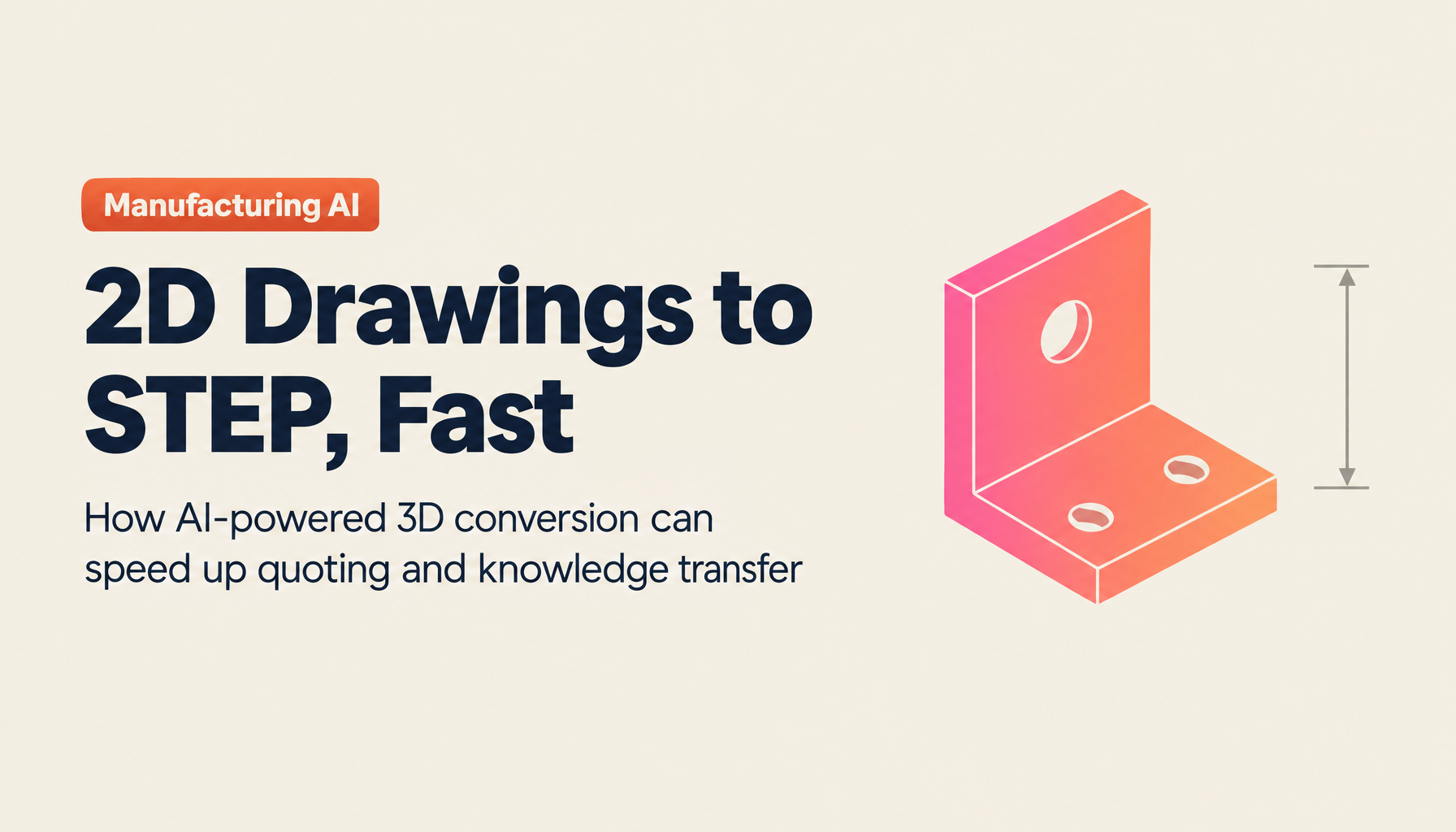
From 2D Drawings to 3D Models (STEP): The Practical Work of AI-Powered 3D Conversion, and the Automated Quoting Beyond It
Claude Code Enterprise Secure Architecture: Gateways via AWS Bedrock and Vertex AI
What METI's Critical Infrastructure x Frontier AI Dialogue Reveals About the Frontline of Enterprise AI Control — May 2026 Update
![Claude Code "Agent Teams" Complete Guide [2026-May Update]: Architecture, Setup, Failure Patterns, and Org-Wide Rollout with WARP](/images/columns/claude-code-agent-teams-guide/cover.en.png)
Claude Code "Agent Teams" Complete Guide [2026-May Update]: Architecture, Setup, Failure Patterns, and Org-Wide Rollout with WARP
Departing-Employee Tech Outflow, Lessons from Apple v. OpenAI: What Companies Can Do Now, Assuming You Can't Fully Prevent It
Running AI Agents on Governed Data: The Governed AI Wave (July 2026)