Hello, this is Hamamoto from TIMEWELL.
Whenever teams try to plug AI agents into real business workflows, they hit almost exactly the same wall: how do we let the AI reach internal databases, team-specific APIs, and legacy systems? The era of wiring each of those up individually with ChatGPT plugins or Function Calling is on its way out. The Model Context Protocol (MCP), announced by Anthropic in November 2024, is an attempt to standardize the glue itself. As of April 2026, the spec has evolved to MCP v2.1, and FastMCP has become the de facto standard inside the Python ecosystem.
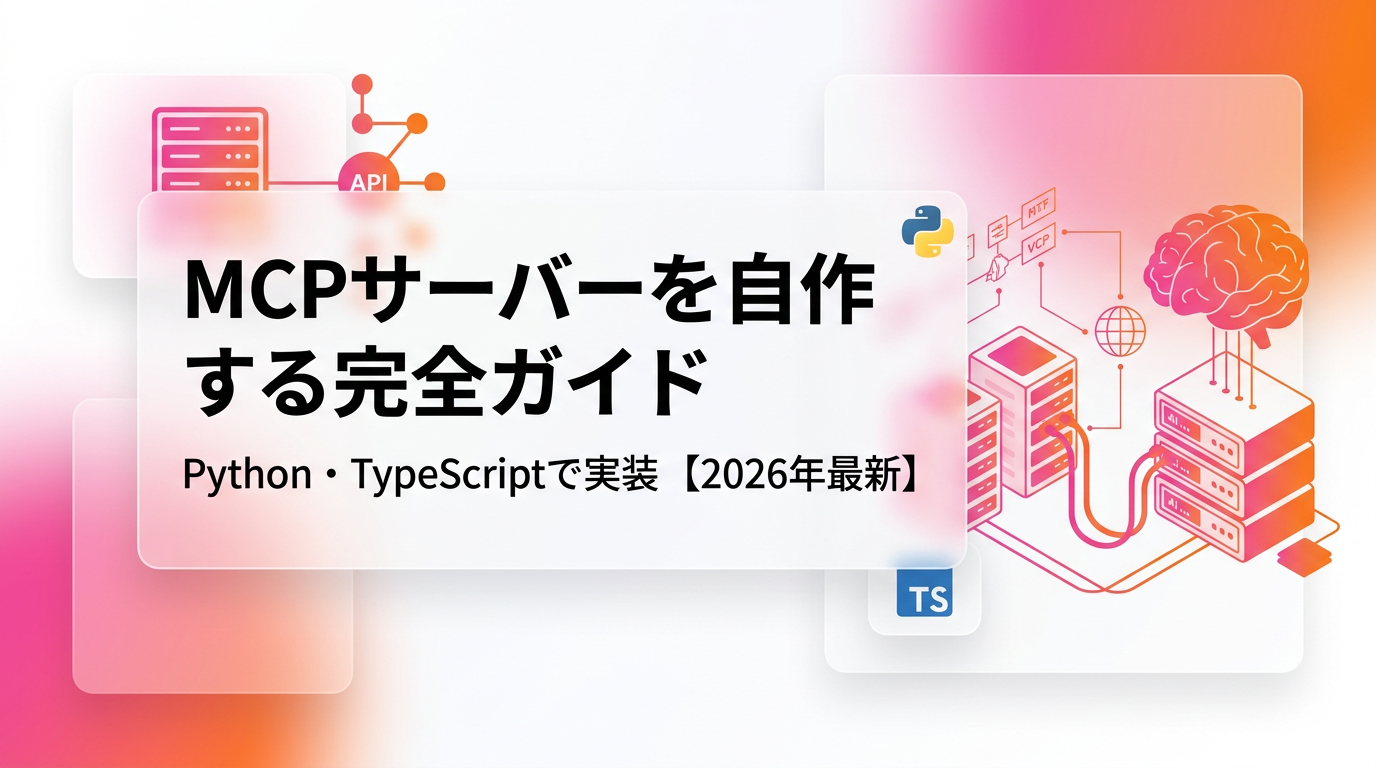
In this article, I walk through how to expose existing internal tools as an MCP server so Claude Code and Claude Desktop can call them, covering both Python and TypeScript. Rather than stopping at a Hello World, I dig into the transport and scope design choices that tend to trip up teams heading into production. This is written for engineers who are actively building around AI agents.
Why build your own MCP server now
MCP is an open protocol built on top of JSON-RPC 2.0, connecting AI applications to external tools. The foundational idea is closer to Microsoft's Language Server Protocol (LSP) than to anything else. Just as LSP decoupled editors from language tooling, MCP decouples LLM clients from external tools. Whatever the host LLM is, a single MCP server you write can be reused across many clients.
The official reference implementation repo already ships servers for Git, Filesystem, Fetch, Memory, and Sequential Thinking1. Hundreds more exist, official and community alike, covering GitHub, Slack, Google Drive, Postgres, and other major SaaS. Claude Desktop 3.2.1 and Cursor 2.5.0 can drop these in with almost no work. That is fine when you are just a consumer, but the moment you deal with internal systems, the gap appears.
Order management, deal pipelines, inventory, internal wikis, custom auth stacks. These do not exist as prebuilt MCP servers. Forcing a generic database MCP server onto them exposes your raw schema to the LLM, which means you carry schema-level vulnerabilities into production. What you actually need is a bespoke MCP server designed around the granularity of your business. Tool names, arguments, and return values should read in business vocabulary, and access control should follow the same contours. Anthropic's March 2026 engineering blog "Code execution with MCP" makes the same point: slicing MCP tools at the granularity of business workflows beats stacking coarse, generic tools, both in token economy and in agent accuracy2.
Before we touch code, let's name the actors. An MCP client is the LLM-facing app, such as Claude Desktop or Claude Code. An MCP server lives outside it and exposes tools, resources, and reusable prompts. JSON-RPC 2.0 requests and responses flow between them. A request carries jsonrpc, id, method, and params; a notification drops the id. The spec is precise about this and is worth reading through once if you plan to implement it yourself3.
Understanding the transport and protocol basics
Before writing any code, it pays to know your transport options. MCP offers two main transports. stdio transport starts the server as a child process and exchanges JSON-RPC messages over standard input and output. It is strictly local, requires no authentication story, and is frictionless during development. The second is Streamable HTTP transport, which receives requests over HTTP and streams long responses back. The 2026 spec makes it the default transport, replacing the older SSE transport (Server-Sent Events). Official benchmarks report a 95% latency reduction for Streamable HTTP in v2.1 compared with the legacy approach3.
The right choice depends on where the call originates. If Claude Code on your laptop just needs to hit tools on the same laptop, stdio is enough. If multiple people need to reach the same tools from a shared internal server, Streamable HTTP is the only real answer. My own preference is to start with stdio, then move to HTTP once shared access becomes a requirement. The logic typically ports one-for-one; you usually only swap the Transport class.
The message flow proceeds in a predictable order: initialization, capability exchange, tool listing, tool execution. The client sends initialize, the server reports which capabilities it supports, such as tools, resources, and prompts. The client then calls tools/list to get the catalog, and the moment the LLM decides to use one, tools/call arrives. Your server does the real work and returns a result. FastMCP and the official TypeScript SDK hide all of this plumbing, so what application developers write is basically "a function I want to expose as a tool."
One detail worth underlining: every tool definition requires an input schema. It is expressed as JSON Schema, and the LLM reads it to assemble arguments. The quality of that schema directly affects agent accuracy. Sloppy argument descriptions mean the LLM cannot populate them and the tool call silently fails. You need to approach this with the same care you would a public API design. As a small aside, every time I add a new tool, I immediately test from my own prompt inside Claude Desktop to see if the agent picks it up. A single word change in a description string can flip it from "called correctly" to "never called," so this is not a place to cut corners.
Struggling with AI adoption?
We have prepared materials covering ZEROCK case studies and implementation methods.
Writing a minimal server in Python with FastMCP
Now, the implementation. We start with Python and FastMCP. FastMCP is a higher-level framework maintained by PrefectHQ; FastMCP 3.0 was released on January 19, 2026, and by now roughly 70% of MCP servers across all languages are built on FastMCP-family tooling4. Python 3.11 or newer is recommended, and the only dependencies are fastmcp and optionally uvicorn.
uv init my-mcp-server
cd my-mcp-server
uv add fastmcp
A minimal server runs in just a handful of lines. Here is a single tool that calls a hypothetical internal project-tracking API and returns projects owned by a given user.
# server.py
from fastmcp import FastMCP
import httpx

mcp = FastMCP("project-tracker")

API_BASE = "https://internal.example.com/api/v1"

@mcp.tool()
def list_projects_by_owner(owner_email: str, status: str = "active") -> list[dict]:
    """Return projects associated with the specified owner's email address.

    Args:
        owner_email: The owner's email address (company domain).
        status: Project status. One of active, closed, or all.
    """
    response = httpx.get(
        f"{API_BASE}/projects",
        params={"owner": owner_email, "status": status},
        timeout=10.0,
    )
    response.raise_for_status()
    return response.json()["projects"]

if __name__ == "__main__":
    mcp.run()
Three things matter here. First, the function's docstring and type hints become the tool description the LLM sees. Writing them carelessly leaves the agent unable to use the tool. Specify whether owner_email is required, what values status can take, and stop only when the description is airtight. Second, the return value can be any JSON-serializable structure; FastMCP normalizes it for you. Third, calling mcp.run() with no arguments launches stdio. To switch to Streamable HTTP, just write mcp.run(transport="http", port=8080). The main body of code does not change at all.
For a slightly more realistic example, here is a tool that searches an internal customer master for similar companies, assuming a Postgres backend.
# search_customers.py
from fastmcp import FastMCP
import asyncpg
import os

mcp = FastMCP("customer-search")
_pool: asyncpg.Pool | None = None

async def get_pool() -> asyncpg.Pool:
    global _pool
    if _pool is None:
        _pool = await asyncpg.create_pool(os.environ["DATABASE_URL"], max_size=5)
    return _pool

@mcp.tool()
async def search_customers(query: str, limit: int = 10) -> list[dict]:
    """Search the customer master with a partial match on company name.

    Args:
        query: Search term for company name (two or more characters).
        limit: Max number of rows to return. Default is 10, max is 50.
    """
    if len(query) < 2:
        raise ValueError("query must be at least two characters")
    limit = min(max(limit, 1), 50)
    pool = await get_pool()
    async with pool.acquire() as conn:
        rows = await conn.fetch(
            "SELECT id, name, industry, updated_at FROM customers "
            "WHERE name ILIKE $1 ORDER BY updated_at DESC LIMIT $2",
            f"%{query}%", limit,
        )
    return [dict(r) for r in rows]

if __name__ == "__main__":
    mcp.run()
One of FastMCP's strengths is that async functions also become tools out of the box. Keeping the database connection pool at module scope avoids the common bug of opening a fresh connection on every request. For tools with side effects, such as anything that mutates SQL state, I always recommend returning "what I changed" in the response so you can later audit what the agent did. Maintaining the ability to reconstruct agent behavior after the fact is, in my view, the heart of operating these systems responsibly.
A type-safe pattern with the TypeScript SDK
In Node.js environments, reach for the official @modelcontextprotocol/sdk. Weekly npm downloads are in the hundreds of thousands, and it is effectively the standard on the TypeScript side5. It does less magic than FastMCP and asks you to declare schemas explicitly with Zod. The explicit approach is less flashy, but at scale the resulting type ergonomics make large codebases easier to maintain, at least in my experience.
// src/index.ts
import { McpServer } from "@modelcontextprotocol/sdk/server/mcp.js";
import { StdioServerTransport } from "@modelcontextprotocol/sdk/server/stdio.js";
import { z } from "zod";

const server = new McpServer({
  name: "notion-internal",
  version: "0.1.0",
});

server.tool(
  "create_meeting_note",
  "Create an internal meeting notes page in Notion",
  {
    title: z.string().min(1).describe("Title of the meeting note"),
    attendees: z.array(z.string()).describe("Array of attendee email addresses"),
    agenda: z.string().describe("Agenda body in Markdown"),
  },
  async ({ title, attendees, agenda }) => {
    const res = await fetch("https://api.notion.com/v1/pages", {
      method: "POST",
      headers: {
        Authorization: `Bearer ${process.env.NOTION_TOKEN}`,
        "Notion-Version": "2022-06-28",
        "Content-Type": "application/json",
      },
      body: JSON.stringify({
        parent: { database_id: process.env.NOTION_DB_ID },
        properties: {
          Name: { title: [{ text: { content: title } }] },
          Attendees: { multi_select: attendees.map((a) => ({ name: a })) },
        },
        children: [
          {
            object: "block",
            type: "paragraph",
            paragraph: { rich_text: [{ text: { content: agenda } }] },
          },
        ],
      }),
    });
    if (!res.ok) throw new Error(`Notion API ${res.status}`);
    const data = await res.json();
    return {
      content: [{ type: "text", text: `created: ${data.id}` }],
    };
  }
);

await server.connect(new StdioServerTransport());
Zod schemas are automatically converted to JSON Schema on the wire. Whatever you write in .describe() is what the LLM sees when picking arguments, so do not skip it. Another point worth noting: the return shape of server.tool is a content array, and besides type: "text", you can return type: "image" or type: "resource". That opens the door to returning images or files, which is handy for tools that generate charts or search internal PDFs.
Error handling is non-negotiable in production. When a tool throws, the MCP client passes the message straight to the LLM. Vague error messages prevent the agent from recovering properly. I make a point of distinguishing user-caused errors (bad arguments) from server-side failures (upstream API 500s) in the message itself, and include "what to fix" for the user-caused cases. Anthropic's official docs also recommend passing hints back from tools6.
If you want to distribute remotely, switching to Streamable HTTP is essentially a one-line change.
import { StreamableHTTPServerTransport } from "@modelcontextprotocol/sdk/server/streamableHttp.js";
import express from "express";

const app = express();
app.use(express.json());

app.post("/mcp", async (req, res) => {
  const transport = new StreamableHTTPServerTransport();
  res.on("close", () => transport.close());
  await server.connect(transport);
  await transport.handleRequest(req, res, req.body);
});

app.listen(8787);
Host this on ECS, Cloud Run, or your internal Kubernetes cluster. As long as it is exposed as an HTTPS endpoint, multiple Claude Code instances can consume it concurrently. At TIMEWELL, we use this pattern for a shared MCP server that surfaces internal knowledge, and we steadily keep adding tools to it week by week. Some of the design considerations overlap with the A2A and ADK discussion I covered in the earlier article Google Cloud Next 2025: Enterprise AI Agents.
Register with Claude Code and Claude Desktop
Once the server is written, you need to register it with a client. In Claude Code, that is mostly a single command, claude mcp add7.
# Register a Python server over stdio
claude mcp add --transport stdio customer-search -- uv run python /path/to/search_customers.py

# Register a TypeScript server
claude mcp add --transport stdio notion-internal -- node /path/to/dist/index.js

# Register a remote HTTP server
claude mcp add --transport http internal-kb https://mcp.internal.example.com/mcp

# List registered servers
claude mcp list

# Show details
claude mcp get customer-search

# Remove
claude mcp remove customer-search
The scope concept really earns its keep in team development. Registering with --scope project creates a .mcp.json at the repo root, and if you commit that to Git, the whole team shares the same set of MCP servers. When your team wants to standardize "these MCP servers are used for this kind of work," project scope is the realistic answer. Utilities that only you use belong in --scope user so they do not pollute shared environments. The split is close in spirit to VS Code's workspace settings versus user settings distinction.
For Claude Desktop, you edit the claude_desktop_config.json file directly.
{
  "mcpServers": {
    "customer-search": {
      "command": "uv",
      "args": ["run", "python", "/Users/me/work/search_customers.py"],
      "env": {
        "DATABASE_URL": "postgres://..."
      }
    },
    "internal-kb": {
      "transport": {
        "type": "http",
        "url": "https://mcp.internal.example.com/mcp"
      }
    }
  }
}
After registration, debug it. The official MCP Inspector is useful here. Run npx @modelcontextprotocol/inspector, and a browser UI opens up that lets you send tools/list and tools/call straight to the server without going through an LLM. That lets you iterate on tool descriptions at the protocol level. In architectures that coordinate multiple agents, like those covered in Antigravity x Google Workspace or Superpowers Claude Code Plugin, the MCP layer is ultimately the foundation everything rests on.
Three last operational notes. First, authentication. Always put OAuth or API keys in front of a Streamable HTTP server. An "internal" endpoint accidentally opened to the public internet is one of the most common incidents. Second, scope your requests. LLMs will greedily pull large result sets if allowed, so impose per-request size caps and force pagination at the server side to prevent token explosions. Third, logs. Always record who called which tool with which arguments, on the server side. If someone later accuses the AI of "doing something on its own," you cannot even defend yourself without logs.
Summary: Building your own MCP is groundwork for AI agents
We have now walked through writing MCP servers in Python with FastMCP and in TypeScript with the official SDK, and registering them with both Claude Code and Claude Desktop. The protocol itself is built on JSON-RPC 2.0 and reads cleanly, and the frameworks absorb the initialization and notification plumbing. Implementation is easier than many people expect. The truly hard part is the design decision: which workflows to carve out as which tools, at which level of granularity.
In my view, any team that wants to cultivate AI agents internally should absolutely pass through a phase of building ten or so small, purpose-built MCP servers for themselves, rather than stopping at an off-the-shelf stack. That process is the fastest way to discover just how poorly your data and workflows are shaped for AI. Rethinking the business itself with AI in mind is, at the end of the day, the most substantive form of AI adoption.
At TIMEWELL, we offer ZEROCK as an enterprise AI platform, and more of our engagements now involve designing MCP servers that safely surface internal knowledge, all the way from requirements to implementation. When the work is about setting AI agent strategy at the executive layer, our AI consulting product WARP is usually the right vehicle. The work of designing MCP alongside your own data and workflows tends to compound faster with an outside partner running in parallel for the first cycle. If you are not sure where to take the first step, feel free to reach out.
References
Footnotes
-
Model Context Protocol Servers (reference implementations). https://github.com/modelcontextprotocol/servers ↩
-
Anthropic. Code execution with MCP: building more efficient AI agents. https://www.anthropic.com/engineering/code-execution-with-mcp ↩
-
Model Context Protocol Specification 2025-11-25. https://modelcontextprotocol.io/specification/2025-11-25 ↩ ↩2
-
PrefectHQ. FastMCP 3.0 GitHub Repository. https://github.com/prefecthq/fastmcp ↩
-
modelcontextprotocol. TypeScript SDK. https://github.com/modelcontextprotocol/typescript-sdk ↩
-
Model Context Protocol. Build an MCP server. https://modelcontextprotocol.io/docs/develop/build-server ↩
-
Claude Code Docs. Connect Claude Code to tools via MCP. https://code.claude.com/docs/en/mcp ↩
![The Path Where the CEO Personally Masters AI Agents: Management with the Top Running 100 Agents Themselves [2026 Edition]](/images/columns/ceo-mastering-ai-agent-direct-management/cover.png)