How to Launch an Online Community: A Complete 7-Step Guide for Beginners
This is Hamamoto from TIMEWELL.
"We want to build a community around our brand, but we don't know where to start." That question has been coming up more and more. As the cost-per-acquisition for digital ads keeps climbing, more companies are waking up to the value of a direct channel to their customers.
The problem is that jumping in without a plan almost always leads to failure. Data suggests that roughly 70% of corporate communities effectively stop operating within their first year. The cause, in most cases, is inadequate design upfront.
This article walks through the 7 steps to launching an online community without failure, written specifically for marketing professionals tackling it for the first time. I've included a concept design worksheet and a first-month operations schedule you can use as templates.
Why Online Communities Are Attracting Attention Now
Let me start with some context. There are three main reasons companies are paying closer attention to online communities.
1. Rising advertising costs The cost-per-click on Google and social media ads goes up every year. If you can maintain relationships with customers you've already acquired through a community, you can significantly reduce the cost of retention and re-engagement.
2. Direct access to authentic customer feedback The candid opinions that are hard to surface through surveys and interviews tend to emerge naturally from the day-to-day conversation inside a community. It becomes a self-replenishing source of insights for product development and service improvement.
3. Fans bring in new customers Engaged members promote you on social media and through word of mouth. Users acquired through referrals tend to have higher lifetime value, making a well-run community potentially your most cost-efficient acquisition channel.
Looking to optimize community management?
We have prepared materials on BASE best practices and success stories.
The Concept Design Worksheet — Complete Before Anything Else
Before choosing a platform, lock in your concept. Start by filling out the worksheet below.
| Item | What to Define | Example |
|---|---|---|
| Community name | A memorable name that communicates the purpose | Marketing Practitioners Lab |
| Purpose (from your side) | What do you want to achieve? | Increase LTV of existing customers; collect product feedback |
| Purpose (for members) | What value will members receive? | Peer exchange with industry colleagues; practical know-how |
| Target members | Who exactly do you want to attract? | BtoB marketers, 1–3 years of experience |
| Community type | Information-sharing / learning / networking / support | Information-sharing + monthly study sessions |
| Revenue model | Free / paid / freemium | Freemium (free baseline, premium content paid) |
| Operations team | Who runs it and what are their roles? | 1 community manager + 1 content lead |
| Success metrics | Numbers you want to hit in three months | 50 active members, 100 posts per month |
Filling this out typically takes one to two hours. Skip this step and you'll eventually lose sight of what you're even doing — and the community will start drifting.
The 7-Step Community Launch Process
Step 1: Recruit 10 Core Members
Don't try to recruit 100 people at the start. What you need first is a small group of "core members" who will shape the community's culture.
Reach out to high-loyalty existing customers, people who have been vocal advocates of you on social media, and enthusiastic people within your own organization. Aim for around 10. These 10 people will determine the culture of the community, so be thoughtful about who you invite.
Tips for reaching out:
- Show that you genuinely want their input
- Make it feel exclusive ("We'd like to invite you as a founding member")
- Be specific about what you're asking them to do
Step 2: Choose a Platform
Select a platform that fits your community's size and purpose. Here's a comparison of the main options.
| Platform | Characteristics | Estimated Monthly Cost | Best For |
|---|---|---|---|
| Slack / Discord | Chat-centric, popular with developers | Free– | Technical communities, small tight-knit groups |
| Facebook Groups | Large existing user base, easy to start | Free | Prioritizing broad reach |
| Commune | Leading domestic platform, rich analytics | Contact for pricing (higher-end) | Enterprise use |
| OSIRO | Unique, customizable branding | Contact for pricing | Creator / brand communities |
| BASE | AI-assisted page creation in 60 seconds, low cost | Contact for pricing | Quick launch, event integration |
Free tools are accessible, but have limits for member management and data analysis. For long-term operations, a dedicated platform tends to be far less frustrating. BASE combines AI-powered page generation with event management and member analytics in one platform, so you don't need to juggle multiple tools.
Step 3: Write Community Guidelines
"No rules means more freedom" — but without at least minimal guidelines, communities get messy. Make sure to define the following:
- Prohibited behaviors (harassment, self-promotion, sharing personal information)
- Encouraged behaviors (posting introductions, answering questions, sharing reactions)
- How violations are handled (a three-step approach — warning, temporary suspension, removal — works well)
Write the guidelines in approachable, friendly language so they don't feel intimidating.
Step 4: Prepare Starter Content
If members arrive to an empty space, they'll leave immediately. Have at least the following ready before launch:
- Welcome message (a guide to how the community works)
- Introduction template (name, organization, topics they're interested in)
- First discussion prompt (something easy to respond to)
- Reference content (links to blog posts or webinar recordings)
Step 5: Build an Onboarding Flow
Whether new members feel welcomed when they join has a major impact on retention.
An effective onboarding flow:
- Auto-send a welcome message immediately upon joining
- Prompt them to post an introduction (with a template ready to use)
- Build a culture where existing members react to newcomers' intros
- Make sure they encounter an event or piece of content within their first week
Step 3 is especially important. Don't leave it to the ops team alone — intentionally create an atmosphere where members welcome each other.
Step 6: Establish a Rhythm with Regular Content
Whether a community survives long-term comes down to rhythm. When members know to expect regular content at predictable intervals, they look forward to it.
Example regular content schedule:
- Every Monday: Weekly prompt (a lightweight discussion question)
- Second Friday of every month: Online study session (guest speaker or member presentation)
You can add more — tips posts, monthly recaps — as you build capacity. Start with one post per week and one event per month.
Step 7: Review and Iterate
After the first month, do a structured retrospective. Key metrics to check:
| Metric | Target | How to Measure |
|---|---|---|
| Active rate | 30%+ | % of members who logged in at least once that month |
| Post count | 2x member count or more | Total monthly posts |
| Reaction rate | 70%+ of posts | % of posts that received a like or reaction |
| New member count | 10%+ month-over-month growth | New joiners this month |
| Event attendance rate | 60%+ of registrants | % who actually attended |
Beyond numbers, make sure you're listening directly to members. Ask your founding core members frankly: "What's working?" and "What's missing?"
First-Month Operations Schedule
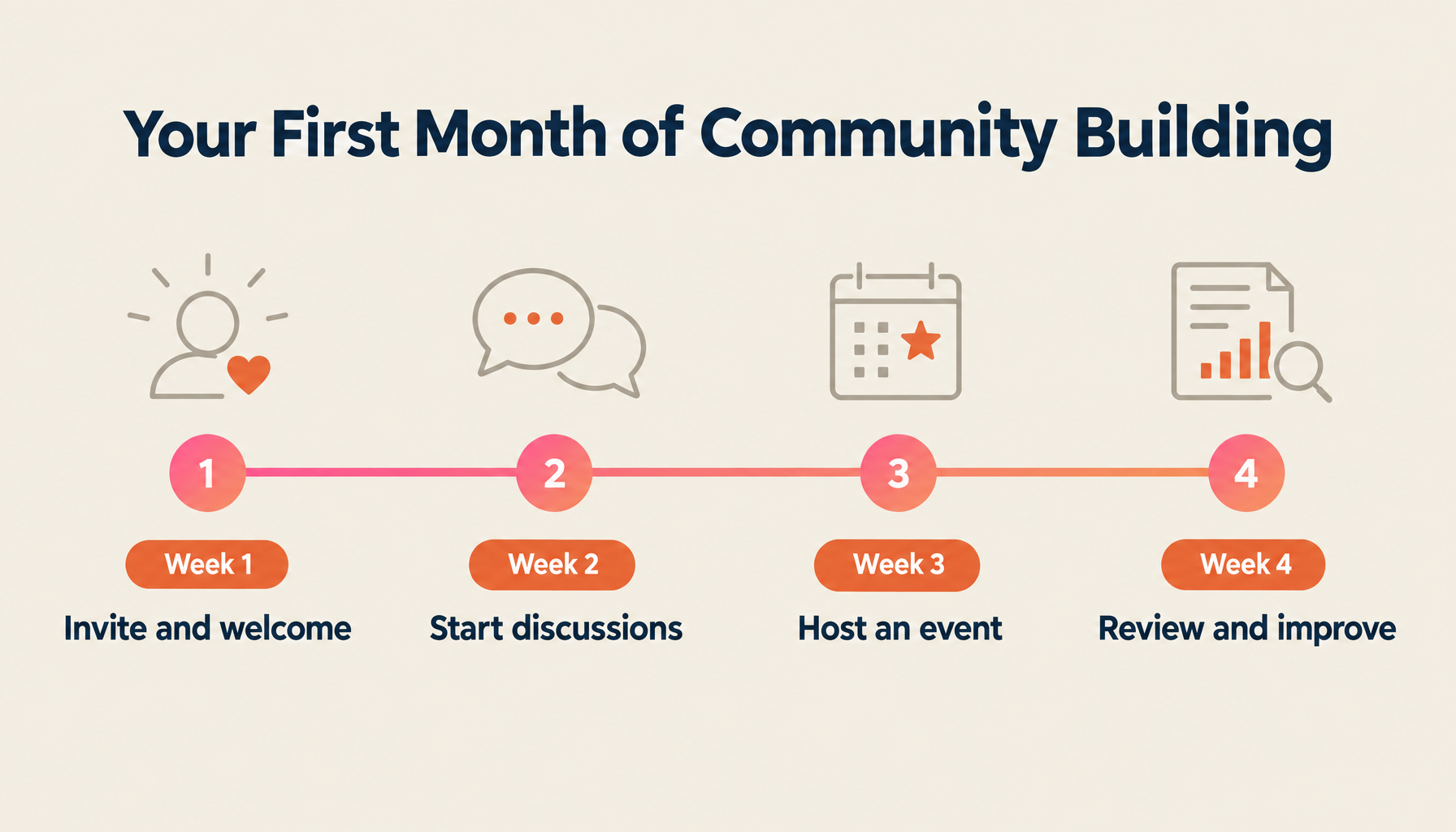
Here's a concrete week-by-week plan for the first month after launch.
| Week | Actions | Key Point |
|---|---|---|
| Week 1 | Invite core members, encourage introductions, publish welcome content | Ops team posts proactively to warm up the space |
| Week 2 | Start first discussion, encourage member-to-member interaction | Pose questions to spark conversation |
| Week 3 | Hold first online event, gather feedback | Don't worry about small attendance — just run it |
| Week 4 | Monthly retrospective, identify improvements, plan for next month | Review KPIs and decide on next actions |
Week 1 ops posting volume is particularly important. Members decide within the first few days whether this is an active place or a ghost town. Make sure the ops team is posting something every day.
Three Common Launch Mistakes and How to Avoid Them
Mistake 1: Trying to attract too many people too quickly → Build the culture first with a small group. 95 out of 100 members lurking silently isn't a community — it's a mailing list.
Mistake 2: Ops posts so much it becomes a broadcast channel → A community is a two-way space. Aim for ops posts to represent no more than 30% of content — and actively create prompts that draw out member contributions.
Mistake 3: Operating without defined KPIs → "It feels like things are going well" doesn't give you anything to improve. Track numbers, run a regular improvement cycle — that's the secret to longevity.
Summary
Launching an online community is 80% preparation and 20% execution. To recap:
- Use the concept design worksheet to get clear on purpose and target members
- Take time with the selection of your 10 core members
- Prepare guidelines and starter content before anyone arrives
- Build a rhythm with regular content and events to sustain momentum
- Review by the numbers every month and continuously improve
With BASE, you can get a community page live in 60 seconds using AI-assisted page creation. If you're still weighing your platform options, start with a free trial. With event management and member analytics built in, you can put the steps in this guide into practice immediately.
Learn more about BASE here.
Streamline Event Management with AI | TIMEWELL Base
Struggling to manage large-scale events?
TIMEWELL Base is an AI-powered event management platform.
Proven Results
- Adventure World: Managed a Dream Day event with 4,272 attendees
- TechGALA 2026: Centrally managed 110 side events
Key Features
| Feature | Benefit |
|---|---|
| AI Page Generation | Event page ready in 30 seconds |
| Low-Cost Payments | 4.8% transaction fee (among the lowest in the industry) |
| Community Features | 65% of attendees continue engaging after the event |
Feel free to reach out to discuss how we can make your event operations more efficient.
Related Articles
- Accelerating Growth in the AI Semiconductor Market: Latest 2026 Trends and Strategies from TSMC and NVIDIA
- ElevenLabs 2026: Valuation Reaches $11 Billion, ARR Surpasses $330 Million, Dominating the Voice AI Market
- From 2026 to 2027: The Reality of AGI's Arrival, Anthropic CEO Confident It's "Within a Few Years"