Hello, this is Ryuta Hamamoto from TIMEWELL.
I expect that before long, many people will say the smartphone is the biggest target of all. I have raised this point many times, but this time I want to write it so that people outside security can follow it step by step.
Here is the short version.
- A zero-click attack takes over a phone when a message arrives. Being careful does not help
- The best-known case, FORCEDENTRY, built a small computer inside an image decoder to carry out the attack
- AI will speed up not only bug hunting but also the discovery of places nobody thought were computers
- Defense rests on three ideas: do not process it, contain it, and do not let an intruder stay
Why the phone becomes the main battlefield
A phone holds almost everything about a person's life and work: email, chat, photos, location, two-factor codes, payments, work accounts. It is always on, it receives messages and images from strangers every day, and it processes them automatically.
For an attacker, there is hardly a better return on effort.
The most troublesome kind is the zero-click attack. There is no link to tap and no attachment to open. The message arrives, and the device is taken over. The victim did nothing, so there was nothing to be careful about.
The advice we have all been given, "do not click suspicious links," does not help here.
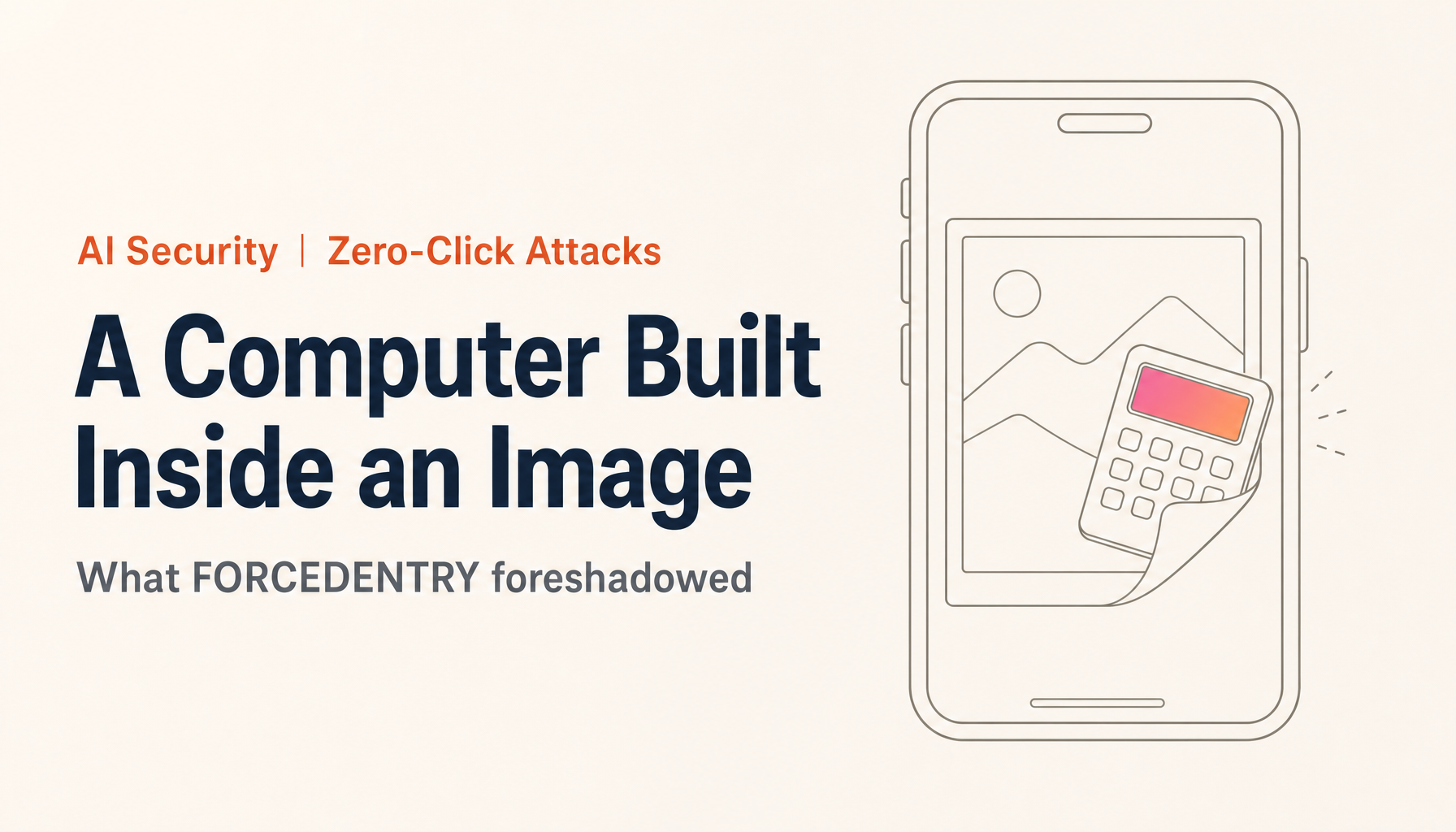
FORCEDENTRY: a calculator built inside an image
The case that made this real is FORCEDENTRY (CVE-2021-30860), a zero-click attack on iPhone's iMessage. Citizen Lab at the University of Toronto captured it from a Saudi activist's device and published its findings in September 2021, attributing it to Israel's NSO Group. In December of that year, Google Project Zero worked with Apple and published the technical details, calling it one of the most technically sophisticated exploits they had ever seen.12
Here is how it worked, with as little jargon as I can manage.
- The attacker sends a file whose name ends in ".gif" over iMessage. It is actually a PDF
- To build a notification preview, the iPhone automatically inspects the image. It judges the format by the contents, not the extension, so it treats the file as a PDF
- Inside the PDF is image data compressed with JBIG2, an old black-and-white format made for fax machines and scanners. Almost nobody uses it today
- The code that decompresses JBIG2 had a bug where a calculation could overflow (an integer overflow). The attacker used it to make part of memory writable
- Then the attacker took a legitimate JBIG2 feature, combining image fragments with AND, OR, and XOR, and applied it tens of thousands of times
Step 5 is the heart of it.
According to Project Zero, the attacker lined up more than 70,000 image-processing commands and built a small computer with registers and a full 64-bit adder and comparator. They did not get the CPU to run attack code. They assembled a second machine on top of the processing meant to restore a picture.1
Think of it as building a pocket calculator using nothing but the fax feature that overlays sheets of paper. Every part is a legitimate function, and looked at one at a time, nothing seems wrong.
That "computer inside an image" was used to prepare the next stage, an escape from the iPhone's protective sandbox. The follow-up published in 2022 explains that the sandbox escape relied not on memory corruption but on logic bugs, the combination of legitimate features.3
In its first write-up, Project Zero said that short of not using a device, there is no way to prevent exploitation by a zero-click exploit.1 User vigilance cannot stop it.
AI Security training, taken seriously
A 2-day intensive course fully aligned with OWASP, NIST, ISO/IEC 42001, and METI. Take it as executives, practitioners, or both.
Why it was so unusual: the idea of an unintended computer
Security researchers have a term for this, the "weird machine." It describes a system that, depending on how you feed it data, behaves like a computer even though its designers never meant it to. FORCEDENTRY is the standout example of the idea showing up in a real attack rather than a paper.
Building a computer does not take fancy parts. If you can combine simple logic operations such as AND and XOR freely, feed the result into the next calculation, and repeat, you can in principle compute anything. The technical name for this is being "Turing complete."
The trouble is how many pieces of ordinary software meet that condition. Researchers have shown, for example:
- Fonts: TrueType fonts include a small instruction set for adjusting letter shapes, and it effectively runs programs
- Document formats: PostScript is a programming language by design, and PDF can embed scripts
- Databases: recursive SQL queries alone can express any computation
- The CPU itself: a single kind of instruction is enough to build a computer
Most earlier attacks followed one pattern: find a bug, then get the attacker's code to run on the CPU. So defenders concentrated on stopping code execution, by limiting which memory can run code and refusing to run unsigned code.
FORCEDENTRY removed that assumption. Instead of getting the CPU to run its code, the attacker built a computer inside image processing, a place that only handles data, and prepared the attack there. To a defense watching for code execution, it looks like normal image decoding.
What happens when AI joins in
Attacks like FORCEDENTRY could be built only by a few organizations with state-scale budgets. You had to read the spec of an old image format cover to cover, see which features could be combined into logic circuits, and arrange tens of thousands of commands without a mistake. That took a great deal of time and very few people.
Large language models may change that.
LLMs are good at reading huge amounts of specifications and source code and finding structure in them. On the defensive side, AI is already finding vulnerabilities. Google's AI agent Big Sleep found an unknown SQLite vulnerability in 2024, and in July 2025 Google said it had found, ahead of time, a flaw (CVE-2025-6965) that was known only to threat actors and was at risk of being exploited.45
What interests me is the step beyond that, because AI can look for more than bugs.
- Which operations does a given processing system accept?
- Can those operations be combined into memory, branching, and loops?
- If so, how would you arrange them to make a small CPU or virtual machine?
That is a loop of reading specs and code, trying combinations, and checking results. A human expert might need months, and it is exactly the kind of work AI is best at.
So my view is that AI will not just make attack code faster to write. It adds the ability to discover, across the world's software, things nobody thought of as computers and find that they are.
Until now the pattern was to find a vulnerability and execute code. From here, I expect attacks to also move toward building a computer in places that cannot execute code at all. And that discovery work will shift from the craft of a few specialists to a job anyone with enough compute can run.
Places that were never meant to run programs become targets
Images, PDFs, fonts, network protocols, databases. Places meant only to handle data can turn into new computing environments. On a phone, many of them are processed automatically for notifications and previews, with no action from the user.
| Where | Its intended job | Why it can become a computer |
|---|---|---|
| Images (JBIG2, WebP, DNG, and others) | Decompress a compressed image | Decoding includes operations such as merging fragments and table lookups |
| PDFs and documents | Display a document | They contain several compression formats, scripts, and fonts |
| Fonts | Draw characters | They carry an instruction set for adjusting letter shapes |
| Network protocols | Send and receive data | They keep state, and what arrives changes what happens next |
| Databases | Store and search data | The query language itself can express any computation |
| Regular expressions and templates | Match and format strings | Some implementations can express branches and loops |
On a phone, these run automatically for message thumbnails and photo analysis, attachment previews, rendering web pages and messages, always-on listening (Wi-Fi, Bluetooth, messaging), constant use inside apps, and input checks and link detection.
This is not theoretical. In 2023, with BLASTPASS, Citizen Lab confirmed that a malicious image inside a PassKit attachment (the mechanism behind Wallet passes) could compromise a fully updated iOS 16.6 with no action from the victim.6 In 2025, an attack that chained an iOS image-processing flaw (CVE-2025-43300) with a WhatsApp flaw was reported as well.7 The entry point keeps being a place that processes images automatically.
And this is not limited to phones. Printers, security cameras, factory controllers, in-vehicle devices: anything that takes in data and processes it automatically has the same structure. Many of these devices are updated far less often than phones.
After the crisis, a change that does not go back
The AI security risks people talk about today are mostly about more attacks, more convincing phishing, and faster discovery of vulnerabilities. All serious, and all extensions of what we already knew.
I think the next phase brings a more fundamental change. Please think about what else could happen. These are my four.
1. "It's only data, so it's safe" stops being true
Images and documents have been treated as safe things that do not execute when opened. But once a computer is found inside the processing system, data becomes a program. The line between receiving a file and receiving a program disappears.
2. A computer, once found, cannot be removed
A vulnerability can be patched. But when a legitimate feature of a format turns out to work as a computer, removing it from every device and every past file that uses the format is not realistic. Devices that never get updated stay around for years, in factories and in homes. Discoveries cannot be taken back, and they only pile up.
3. Defense by inspection gets weaker
It is theoretically hard to decide in advance, by inspection, whether data contains a built-in computer. A machine made only of legitimate features looks like legitimate data. We will have to move from checking contents and rejecting the bad ones to not processing it at all, or containing it.
4. The economics of attacks change
FORCEDENTRY-class attacks needed state-scale money and talent. In October 2025, Apple set the top reward for an attack that gains kernel control with no user interaction at 2 million dollars.8 That shows how valuable and how hard to build these are. If AI lowers the cost of discovery, a capability once held only by states could spread to more organizations.
These are not a passing crisis. They are changes that do not reverse once they happen, which is why it pays to shift our thinking early.
So how do we defend?
There is no perfect defense. But we can raise the cost of an attack sharply and keep the damage small. The framework has three parts: do not process it, contain it, and do not let an intruder stay.
What individuals can do
- Update the OS and apps right away. Many vulnerabilities used in zero-click attacks are patched by emergency updates once they come to light. Every day you delay is a day you are exposed
- Restart your phone regularly. Some spyware does not survive a restart. Once a week is worth making a habit
- If you are a likely target, use Lockdown Mode. On iPhone it blocks many attachment types and link previews, shrinking the entry points. For BLASTPASS, Citizen Lab said, with confirmation from Apple, that Lockdown Mode blocks the attack.6 Android has a similar Advanced Protection feature
- Turn off what you do not use. Messaging apps you never open, Bluetooth, and automatic previews are entry points on their own
- Know the protections on newer devices. iPhone 17 and iPhone Air include Memory Integrity Enforcement, which detects and blocks attacks that exploit memory corruption9
What companies can do
- Treat executives' phones as critical assets. Many companies spend heavily on internal servers and leave the president's phone to personal care. For executives, people traveling abroad, and staff in R&D or export control, consider Lockdown Mode and separate work devices
- Use device management (MDM) to keep updates and settings aligned, so that you do not depend on each person's attention
- Prepare a response plan that assumes a phone has been compromised. Tools such as Amnesty International's Mobile Verification Toolkit (MVT) exist. Decide in advance who does what when suspicion arises
- Look at your own devices and products the same way. Printers, cameras, and factory equipment that take in outside data and process it automatically have the same weakness as phones
What developers can do
- Process fewer formats. Check whether you still handle rarely used formats such as JBIG2 by default. Unused features remain as entry points nobody is watching
- Isolate parsing. Parse outside data in a separate process with minimal privileges. Apple's BlastDoor for message handling follows this idea, and FORCEDENTRY exploited the fact that images were processed outside that isolation
- Convert to a simple, safe format first. If you turn a received image into plain pixel data before displaying it, you reduce the places that touch the original format's complex features
- Use memory-safe languages and hardware features. Rust and memory tagging (MTE) make memory corruption, the usual first step of an intrusion, harder. Sophisticated spyware exploit chains have rested on buffer overflows and use-after-free errors9
- Define input grammar strictly. Unintended computers come from code that accepts more flexible input than it needs. Define exactly what is accepted and reject the rest early
- Use AI for your own defense first. If attackers will use AI to look for computers, defenders should use AI to examine their own software. As Big Sleep showed, AI can find bugs before release and close them before attackers use them
One caution. Memory protection is very effective, but it cannot handle an attack like the second half of FORCEDENTRY, which combines only legitimate features. Layer "do not let it break" defenses with "do not process it, contain it" defenses.
Closing: how far ahead can we see?
FORCEDENTRY came to light in 2021. At the time it was received as an exceptional feat by a team of geniuses hired by a state.
I see it differently. I think it was a preview, not an exception. There are more computers sleeping in data-handling code than we think, and AI is making the search for them cheaper by the month. When those two facts meet, the phone stops being a tool that is safe if you are careful.
If this column does not get the feeling across, I expect I will have to write it again soon, alongside a real incident. I would much prefer that it lands before then. Please take some time to apply what could happen to your own work and life.
What to do about this change
Once "a phone is safe if you are careful" stops holding, what a company needs is a setup that does not depend on individual attention: aligned updates, separate devices for people who are likely targets, and a procedure that works on the assumption of a takeover. And against attacks that use AI, it means using AI on your side to find weak points first. None of this happens all at once.
TIMEWELL's WARP SECURITY helps companies design and operate security around AI use. How to protect executives' and travelers' devices, how to set incident procedures, how to build AI into your own defense. We start by working out the priorities with you.
If you are asking "where should we even begin?" or "it is time to decide how we handle executives' phones," please feel free to get in touch.
Footnotes
-
A deep dive into an NSO zero-click iMessage exploit: Remote Code Execution (Google Project Zero, December 15, 2021). The ".gif that is really a PDF," more than 70,000 segment commands, registers and a 64-bit adder and comparator, "one of the most technically sophisticated exploits we've ever seen," and "short of not using a device, there is no way to prevent exploitation" are from this post. Fixed September 13, 2021 in iOS 14.8 (CVE-2021-30860) ↩ ↩2 ↩3
-
FORCEDENTRY: NSO Group iMessage Zero-Click Exploit Captured in the Wild (Citizen Lab, September 2021). The capture from a victim's device and the attribution to NSO Group are from this report ↩
-
FORCEDENTRY: Sandbox Escape (Google Project Zero, March 31, 2022). That the sandbox escape was built from logic bugs alone (while the first stage used a heap buffer overflow in the JBIG2 decoder) is from this post ↩
-
From Naptime to Big Sleep (Google Project Zero, October 2024). The discovery of an unknown SQLite vulnerability is from this post ↩
-
Google says Big Sleep AI tool found bug hackers planned to use (The Record, July 15, 2025). CVE-2025-6965, known only to threat actors and at risk of being exploited, is from this report of Google's announcement ↩
-
BLASTPASS: NSO Group iPhone Zero-Click, Zero-Day Exploit Captured in the Wild (Citizen Lab, September 7, 2023). Compromise of the latest iOS 16.6 without victim interaction, malicious images in PassKit attachments, and Apple's confirmation that Lockdown Mode blocks the attack are from this report. Press coverage: BleepingComputer (2023) ↩ ↩2
-
French Apple users subjected to another spyware campaign (SC Media, 2025). Reporting on the attack involving CVE-2025-43300 ↩
-
Apple Security Bounty (Apple Security Research). The 2 million dollar category for gaining kernel control through a network attack with no user interaction, and the October 10, 2025 update, are from this site. Press coverage: Axios (October 10, 2025) ↩
-
Apple's new Memory Integrity Enforcement (CyberScoop, September 10, 2025). Inclusion in iPhone 17, iPhone Air, and the A19 chips, and the point that buffer overflows and use-after-free errors have underpinned spyware exploit chains, are from this article ↩ ↩2