Hybrid Event Management Guide: The Optimal Blend of Online and Offline
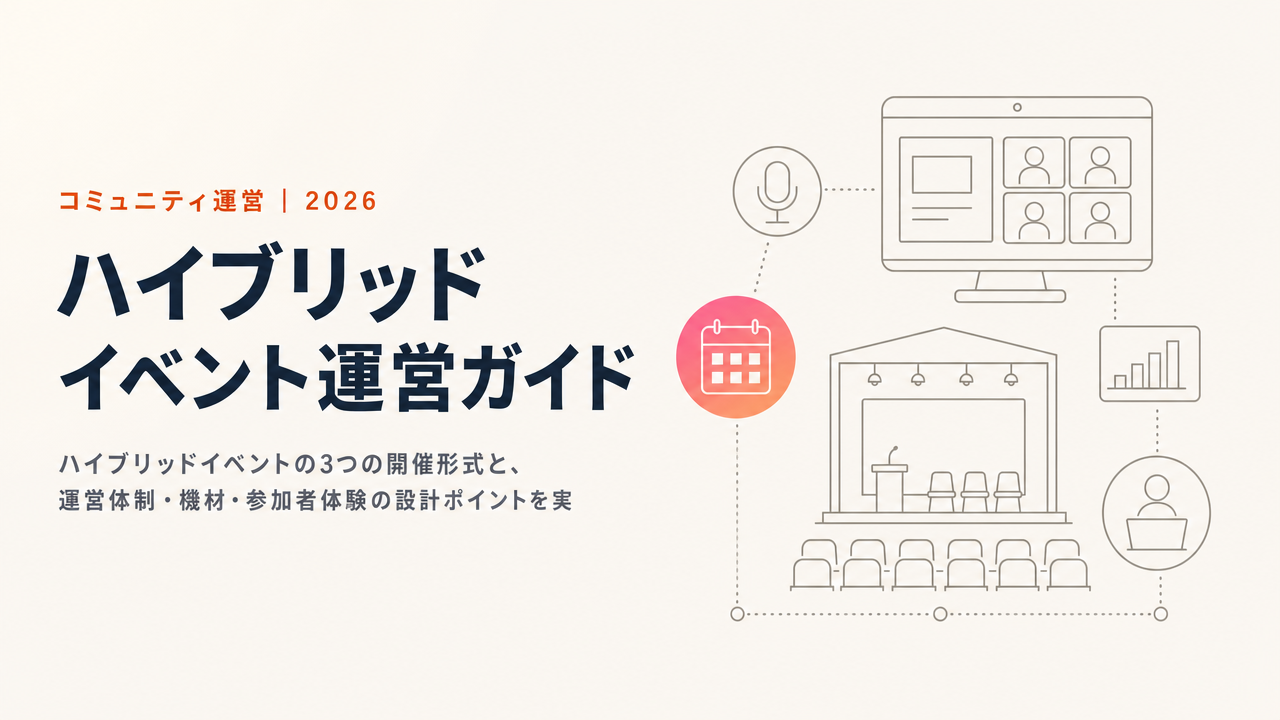
Has your manager ever asked "How many people joined online?" or "Was it worth the cost?" and left you fumbling for an answer? The venue is buzzing, yet online attendees leave quietly without posting a single message in chat. Your stream operator is drowning in venue audio and connection issues, and before you know it, dual operations have doubled the workload. On the ground, hybrid events keep running into the same problem: one audience gets left behind.
Looking at 2026 event industry data, roughly 40% of organizers still struggle to prove ROI. That is an improvement from about 70% the year before, but it remains the single biggest challenge. This guide works through the decision of whether to run hybrid at all, then how to design dual operations that hold together, the equipment, where AI actually helps, a realistic view of total cost, day-of troubleshooting, and how to measure results — all in a form you can put to work immediately.
What This Guide Covers
- The reality of 2026 event formats, and why hybrid became a "choice" rather than the "default"
- How to choose among in-person, online, and hybrid, plus when hybrid fits and when to avoid it
- Designing the attendee experience so neither audience is left behind
- Choosing equipment by selection criteria and budget tier rather than by model number
- Where AI — captions, translation, summarization — pays off
- A minimum four-person team, and the recovery steps when a stream fails
- A realistic sense of total cost, and how to design for ROI from the start
Start With Whether You Should Run Hybrid at All
Hybrid was once described as "the new standard." The reality in 2026 tells a different story. According to industry research, the breakdown of events actually held was 63% in-person, 33% purely online (webinars and the like), and just 4% full hybrid. Hybrid is not the standard — it is a format you choose deliberately, for a reason.
The backdrop is a return to in-person. Some 78% of organizers say in-person conferences and summits are their most impactful marketing channel, and 54% of attendees plan to attend more in-person events than the year before. At the same time, webinars are thriving: 53% of attendees intend to watch more, and 61% of organizers report a year-over-year increase in attendance. The market is polarizing into "immersive in-person" and "convenient online," and the full hybrid that tries to hold both at once is actually shrinking.
That is why the first question is which format to run. The decision axis can be kept simple.
| Format | Fits when | Avoid when |
|---|---|---|
| In-person only | Deals or deep relationship-building are the goal; the experience itself is the value | You want to reach distant prospects broadly |
| Online only | You want to maximize lead capture and draw a nationwide audience | High-energy interaction or in-person experience is the main goal |
| Hybrid | You need both in-person energy and broad reach; you want to deliver speakers nationwide | People and budget are tight and cannot sustain dual operations |
Hybrid looks like "having it both ways," but in practice it drives operational cost and difficulty sharply upward. If you cannot secure four staff or find time to rehearse, do not force the combination — leaning toward a "time-shifted" format that publishes the recorded in-person event later is the more realistic move.
What Is a Hybrid Event?
A hybrid event combines an in-person (venue) experience with an online (streamed) one. Its strength is inclusivity: people who cannot come to the venue can still take part, removing geographic barriers and widening the audience.
Still, to repeat, this is not something you do "because it is the mainstream." Running two participation modes at once means that a design misstep leaves both audiences with a mediocre experience. Research has consistently found that the hardest part of hybrid is connecting the in-person and online audiences, and about 67% of organizers cite concerns about the technical side. Choose it only when the objective is clear and you have the team to support it. Do not lose that premise.
Three Formats and the Standardization of Archives
Even within hybrid, there are three broad ways to run it.
| Format | Characteristics | Best for | Operational difficulty |
|---|---|---|---|
| Simultaneous broadcast | Venue proceedings streamed live | Seminars, keynotes | High |
| Parallel programming | Separate agendas for venue and online | Networking mixer plus an online seminar | Medium-High |
| Time-shifted | Venue recording published online later | Workshops, hands-on sessions | Low-Medium |
Here is a shift specific to 2026: archive delivery is no longer the exception but standard practice. Some 82% of organizers produce VOD (on-demand video) from their events, and building programs around "catch-up viewing for those who missed the day" has become the norm.
This affects design. Rather than straining a simultaneous broadcast, keep the live stream minimal on the day and deliver a properly edited archive afterward. This "live plus archive" tradeoff is a realistic way for small teams to hold quality without overextending. Planning for the archive from the start also lowers the pressure of day-of streaming trouble.
Designing the Attendee Experience: Closing the Asymmetry
When hybrid fails, the cause almost always comes down to one thing: the venue and online experiences become asymmetric. In the room there is applause, small talk, card exchanges at the break, and proximity to speakers. Online tends to become passive screen-watching. The finding that 57% of attendees prefer the in-person version is the flip side of this asymmetry.
The fix is less about special features and more about designing roles.
- Always assign a dedicated online host. Separate from the venue emcee, put someone in charge of picking up chat and speaking to online attendees
- Bring chat questions into the room. Simply introducing "This is a question from our online audience" lifts the presence of online attendees dramatically
- Mirror interactive elements on both screens. Show poll results and survey responses on both the venue screen and the stream
- Add frequent connection checks and reassurance before and during, so no one feels stranded
The classic "before" is a state where only venue attendees can ask questions and online viewers just watch. Online satisfaction then drops to less than half of in-person. In the "after," the host reads out chat questions, poll results appear on both screens at once, and a dedicated online host keeps the chat conversation going. On the ground, this alone can bring online satisfaction to around 90% of in-person levels. Polls and Q&A can be handled with general-purpose tools, but what matters is not the tool — it is having someone dedicated to watching and working the online side.
Equipment and Technical Requirements: Choose by Criteria, Not Model Number
Equipment lists go stale fast. Cameras and switchers get replaced by successors within a year or two, and in 2026 currency effects have pushed prices up. Rather than memorizing specific models, think in terms of "on what criteria, at what budget tier" — it lasts longer.
There are three selection criteria. First, audio. Viewers drop off over broken audio faster than over shaky video, so invest in microphones first. Second, connectivity. Wired LAN is the baseline, with a mobile connection held in reserve. Third, switching. Whether you have a switcher to cut between speakers and slides greatly changes how watchable the stream is.
| Budget tier | Intended scenario | Categories to acquire |
|---|---|---|
| Minimum (a few hundred dollars) | Internal events up to 20 people | Webcam, USB microphone, ring light, existing streaming PC |
| Standard (roughly $1,000-2,000) | External seminars around 100 people | Mirrorless-class camera, capture card, wireless mic, compact switcher, panel lighting |
| Professional ($2,000+) | Large conferences | Multiple cameras, professional switcher, dedicated lighting, audio equipment, 4K-capable streaming |
Buying the large setup outright is rarely wise. Rent until your hosting frequency exceeds twice a month, and decide on purchases after that. For connectivity, treat 10 Mbps upload as the floor and 20+ Mbps as the recommendation; 720p works but 1080p is easier to watch. On the venue side, always confirm in advance the presence and speed of a wired LAN port, the Wi-Fi concurrent connection limit, the number and placement of power outlets, and room acoustics such as HVAC noise and echo.
Where AI Actually Helps
The biggest trend of 2026 is AI in real operation. Some 95% of organizers expect to expand AI use at events, and 35% predict a "significant" increase. Hybrid operations pair well with AI, which shores up the weaknesses of a small team.
Focus AI on the steps where staffing is the bottleneck, and the payoff becomes visible.
- Real-time captions and translation. Helps online attendees who struggle to hear and multilingual viewers alike; especially powerful for sessions with international participation
- Chat and Q&A summarization. AI bundles the flood of questions so the host can surface the points worth raising, easing the load on the dedicated online staffer
- Automatic highlight and archive editing. Extracts the best moments from a long main session to produce short-form catch-up clips; now that archives are standardized, editing efficiency translates directly into cost savings
- Automatic generation of promotion, social posts, and event pages. Hand off prep-stage production to AI so the team can focus on the day-of experience
TIMEWELL BASE is built to handle that last area — auto-generating event pages, thumbnails, and social posts with AI. It cuts production time sharply so the organizer can spend that time on attendee interaction. That is the intent of an AI-native platform.
Operations Team and Day-of Troubleshooting
The minimum for a simultaneous broadcast is four people: event director, venue management, stream management, and online engagement. Splitting these roles is the baseline, and the dedicated online role in particular must never be cut.
| Role | Responsibilities | Headcount |
|---|---|---|
| Event director | Timekeeping, speaker coordination | 1 |
| Venue management | Reception, seating, equipment troubleshooting | 1-2 |
| Stream management | Camera switching, audio checks, stream monitoring | 1 |
| Online engagement | Chat monitoring, curating questions, following up with online attendees | 1 |
Something always goes wrong on the day; anticipating it speeds recovery. If the connection drops, switch to the pre-arranged redundant mobile line and bridge the few minutes to recovery with a standby slide or archive announcement. If audio feeds back, the cause is usually a mic and speaker too close together, so put physical distance between them first and lower the gain. If the stream itself stops, run pre-recorded fallback content while telling attendees the situation via chat or a pre-event email. When recovery looks unlikely, clearly announcing that you will deliver an archive later preserves trust better than leaving people waiting in silence.
Total Cost and Designing for ROI
Estimate cost across four buckets — venue, equipment, staffing, and streaming/platform — and nothing slips through. A 20-person internal event can start from a few hundred dollars in equipment and staff time; a 100-person external seminar including venue costs runs into the low thousands; and a conference for thousands can reach five figures once you add outsourced streaming and equipment rental. In 2026, 40% of organizers expect budget increases, 40% flat, and 20% decreases, so how well you allocate the budget separates the results.
The central issue is ROI. As noted, about 40% of organizers still struggle to prove it in 2026. The rule here is to build the measurement mechanism in from the start. Keep attendee counts by participation mode, watch time, chat and survey response, and above all the leads you capture and their follow-up, all trackable. Worrying about how to explain results after the event is too late. Collect data from the sign-up stage, export it to CSV, and feed it into sales follow-up. Build that flow into the design, and you can speak to both your manager and your next improvement with evidence in hand.
Legal, Rights, and Accessibility
Often overlooked, this is the area most likely to cause trouble once you publish. If you will record speakers and deliver an archive, obtain written consent for recording and publication in advance. Venue background music is copyrighted, and putting it on the stream may require separate rights clearance. Footage that captures attendees involves likeness rights, so state clearly in your guidance that filming and publication will occur.
Accessibility ties directly to results. Captions reach people who struggle with audio, and translation lets you take in international participants. A start time mindful of online attendees' time zones and a catch-up archive are, in practice, accessibility measures too. These are both "consideration" and a lever for widening your audience.
Operations Checklist
Anchoring the checklist on measurement and lead follow-up keeps it consistent from the day itself through the aftermath.
Two weeks before
- Decide the format (simultaneous, parallel, or time-shifted)
- Secure the venue and verify network conditions (a wired LAN speed test is mandatory)
- Arrange and test equipment
- Select and configure the streaming platform
- Assign team roles and create the run-of-show
- Design your metrics (attendees by mode, watch time, lead-capture indicators)
Three days before
- Run a rehearsal (verify video and audio on both venue and stream)
- Finalize with speakers and obtain recording/publication consent
- Send the pre-event email to attendees (join URL, guidelines)
- Prepare backup equipment and connection
Day of
- Set up venue and equipment (2 hours before start)
- Stream test (1 hour before start)
- Final audio and video check (30 minutes before start)
- Send a connection-test reminder to online attendees
Post-event
- Edit and publish the archive recording
- Send and compile the attendee survey (track venue and online separately)
- Export captured leads to CSV and begin follow-up
- Hold a team debrief and organize improvement items
Running Hybrid on BASE
Here is a concrete flow, using TIMEWELL BASE. First, issue tickets by participation mode. Because you can set separate capacity and pricing for venue and online, you can manage the physical ceiling of the room independently from the openness of online. On the day, handle reception by QR code to track arrivals in real time. Inside the venue, capture attendance by session and by booth, leaving a record of which sessions drew crowds as a flow-analysis dataset.
Alongside the stream, deliver the archive to a limited audience within the community after the event. Answer the catch-up needs of those who could not attend, and route attendees straight into a community channel — turning a one-off event into an ongoing relationship. Captured attendee data can be exported to CSV and fed into sales and nurture follow-up. AI generates the event page, thumbnails, and promotional social posts, so the time you would spend on production goes to operations and interaction instead.
This is not hypothetical. TIMEWELL BASE was officially adopted for TechGALA 2026 and is used at YOXO Festival, Adventure World's Dream Day, Kanagawa Prefecture's KID 2026, EMC Global, a Tokyo Metropolitan Government partnership program, and Kanagawa SHIN-MINATOMIRAI. It supports over 15,000 monthly active users and 80,000+ monthly page views, and has run stably at events with thousands of attendees.
Why You Can Do It All on TIMEWELL BASE
Much of the burden of hybrid operations comes from spanning multiple tools. When ticketing is one service, reception another app, and surveys yet another, the data never connects and ROI becomes hard to explain. BASE brings this together on a single platform, with AI taking over production.
There is a free plan, and you can start without registering a credit card. Paid-ticket processing carries an industry-low 4.8% fee, and monthly subscriptions such as online salons are 10%. Page creation takes about 60 seconds with AI support. Start small, confirm the fit, then scale.
- Check whether it fits you: Community Health Check
- See the service in detail: TIMEWELL BASE
- Discuss your specific setup: Free consultation / contact
Frequently Asked Questions
Q. How much does it cost? It depends on scale. An internal event for 20 people can start from a few hundred dollars in equipment and staff time; a 100-person external seminar including venue costs runs into the low thousands; and a conference for thousands can reach five figures once you add outsourced streaming and rental. Estimate across venue, equipment, staffing, and streaming to avoid gaps.
Q. What is the minimum team size? Four for a simultaneous broadcast — event director, venue management, stream management, and online engagement. Always keep a dedicated online role. If one person covers both venue and stream, one side falls short.
Q. What if online attendance is low? Rather than forcing full hybrid, lean toward a time-shifted format. Keep the live stream minimal on the day and deliver a properly edited archive later — that secures reach while limiting the effort spent on a small online audience.
Q. What if the stream goes down? Switch to a backup connection and run pre-recorded fallback content. With wired-plus-mobile redundancy, a standby slide, and an archive announcement for when recovery is uncertain, you keep drop-off to a minimum.
Q. How should I handle recordings and archives? In 2026, archives are standard practice — 82% of organizers produce VOD. Obtain speakers' recording and publication consent in advance, decide the scope of limited access, and use the archive as the entry point for catch-up viewing.
Q. Are free tools enough? For small events, yes. But when ticketing, reception, surveys, and lead management are split across separate tools, the data does not connect and ROI is hard to prove. As you scale and need to show results in numbers, consider moving to a platform that manages it all in one place.
Q. Should ticket prices differ for in-person and online? Since the experiences differ, varying prices is fine. Let the venue price reflect networking and experience value, and the online price reflect convenience and reach. When you can set capacity and price separately by mode — as in BASE — that design translates directly into operations.
Summary
- Hybrid is not the 2026 default but a format chosen by objective. Start from whether to run it, grounded in the reality of 63% in-person, 33% online, and 4% hybrid
- The market is polarizing into "immersive in-person" and "convenient online." If holding both is hard, do not force it — lean toward time-shifted or archive-centric delivery
- The cause of failure is experiential asymmetry. Assign a dedicated online host and mirror questions and polls on both screens to prevent anyone being left behind
- Archives and AI are standard equipment. VOD production plus captions, summarization, and auto-editing let a small team hold quality
- Build ROI into the design from the start. Keep data by participation mode and lead follow-up trackable
- You can start with a team of four, but never skip rehearsals and backup preparation
Related Articles
- The Complete Event Management Guide - From Planning to Post-Event Review
- Online Event Success Guide - From Promotion to Operations
- Community KPI Design - Choosing the Right Metrics to Measure Success
- Community Platform Comparison - Choosing by Price, Fees, and Fit
References (Primary Sources)
- Private-sector industry research on event-format breakdown, hybrid challenges, and attendees' in-person preference (2026)
- TIMEWELL BASE service details
This article was produced with the help of AI. A human verified the primary sources and edited the text before publication.
More Articles in This Category
Community Building Fundamentals - How to Build a Community That Thrives
A clear guide to the value a community brings to a business, what makes one succeed, and the playbook from launch to operations -- grounded in the latest 2026 trends and real examples.
The Complete Event Management Guide: Planning, Promotion, Day-of Operations, and Review (2026 Edition)
A start-to-finish playbook for event planning, promotion, day-of operations, review, and lead nurturing, grounded in 2026 data. Turn unpredictable turnout, chaotic event days, and unmeasured outcomes into a system a small team can actually run.
Community KPI Design: Choosing Metrics That Prove Your Results
How to design community KPIs that prove results in numbers, from working backward off a KGI and choosing a North Star Metric to size-based benchmarks and quarterly reviews, with a full worked example and the 2026 community industry context.