RAG, Knowledge Graphs, and GraphRAG: How Internal Search Works and How to Choose
Your company holds tens of thousands of drawings, past quotations, technical documents, and work standards. Yet when you actually try to find "which drawing used that machining method" or "how much we quoted for this material last time," you end up relying on a veteran's memory. Even when you can search, you get the single sheet you wanted but not the reasoning that led to it.
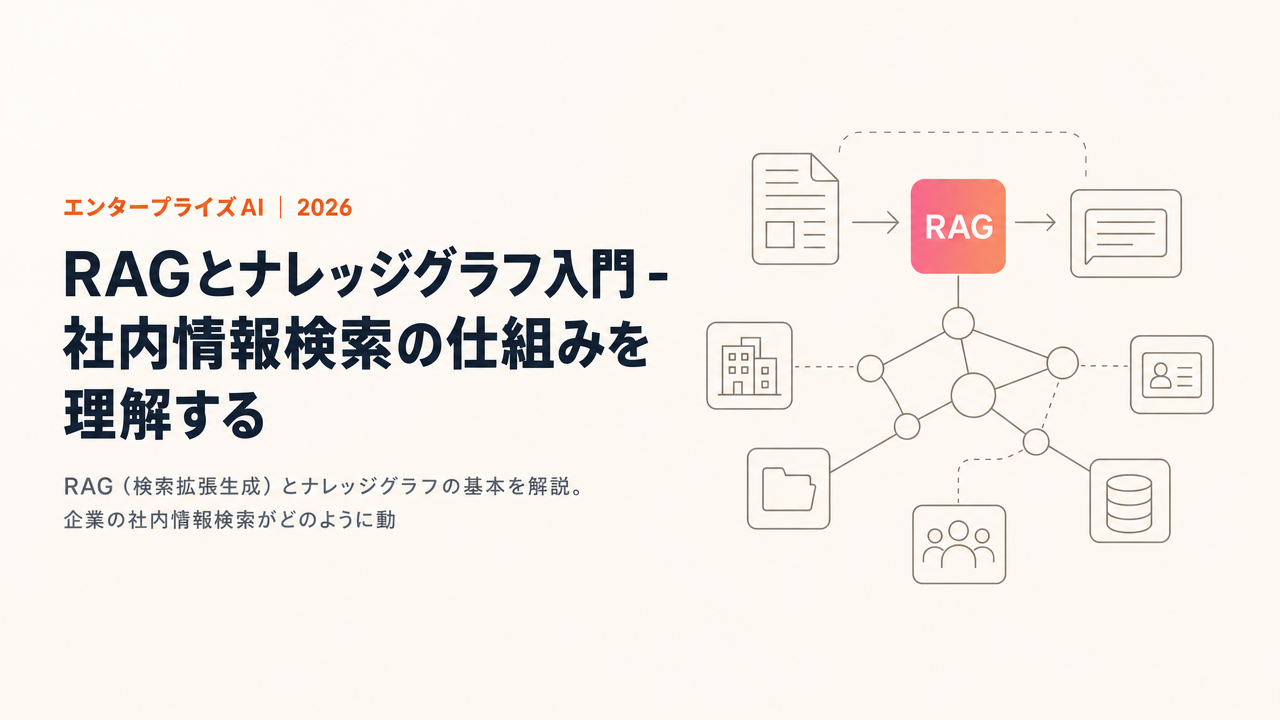
RAG, knowledge graphs, and GraphRAG are the technologies that resolve this "can't find it" and "can't connect it." The names look similar, but their roles differ, and which one you use where changes the outcome significantly. This article organizes the three mechanisms with concrete manufacturing examples, and goes as far as how to choose between them.
What this article covers
Here is the big picture up front.
| Term | In one line |
|---|---|
| RAG | A mechanism that searches internal data first, then has the LLM answer based on the results |
| Vector search | Search that finds documents by "closeness of meaning" rather than exact word matches |
| Knowledge graph | A database that holds the "relationships" between pieces of information as a network |
| GraphRAG | A method that combines RAG with a knowledge graph and answers by tracing relationships |
| Agentic RAG | The 2026 mainstream, where the AI repeatedly searches, evaluates, and searches again on its own |
And here is a quick reference for deciding which to use.
| Situation | Suited approach |
|---|---|
| Answering from a small set of FAQs or manuals | Ordinary RAG (vector search plus an LLM) |
| Questions that link multiple pieces of information across departments | GraphRAG |
| Grasping or summarizing trends across a large body of data | GraphRAG (global search) |
| Autonomously switching among multiple sources and tools | Agentic RAG |
What Is RAG?
RAG (Retrieval-Augmented Generation) is a way of using AI that combines "retrieval" and "generation."
Large language models (LLMs) have two weaknesses. One is that they do not know information newer than the point at which they were trained. The other is that they do not know your company-specific information, which was never public in the first place. Your drawings, quotes, and internal rules are not in the LLM's training data, so asking directly will not get you a correct answer.
RAG compensates for these weaknesses by handing the model external material. The process is roughly as follows.
- The user submits a question
- The search engine retrieves internal documents relevant to the question (Retrieval)
- The retrieved documents are passed to the LLM as reference material
- The LLM generates an answer informed by that material (Generation)
For example, when you ask "what are the recommended conditions for bending a plate of this thickness in SUS304," RAG searches your machining standards and past records for the relevant passages and answers based on them. The LLM does not answer from memory alone; it answers based on real data. That is the heart of RAG. Because the basis of the answer is tied to internal documents, you can later confirm "which materials it looked at to answer," which is a major practical advantage.
The Basics of Vector Search, and Its Limits
Vector search is the retrieval component most often used in RAG. Whereas traditional keyword search finds documents by matching words, vector search converts text into an array of numbers (a vector) and finds documents by closeness of meaning.
On the shop floor, this "search by meaning" property matters. Drawing notes vary by author. Some people write "hex socket head bolt," others write "cap bolt" or "CAP screw." Keyword search misses these when the wording differs, but vector search can pick up multiple notes and specifications with different phrasings from a query like "the standard tightening torque for M6." It is also robust to partial part numbers and paraphrased material names, so you can reach a close document even from a vague memory.
That said, vector search has a clear limit. What it retrieves is, at best, "fragments of text" that are semantically close to the question. Because it does not look at the connections between fragments, it is weak on questions that hop across multiple pieces of information (multi-hop questions). A question like "list the drawings that adopted this machining method and compare each one's past quotes" cannot be fully answered by a single vector search. It is also poor at summarizing trends across a large body of data.
In practice, the standard is not to rely on vector search alone but to combine it with full-text search (such as BM25) in a hybrid search. You pair semantic retrieval with the exact-match retrieval needed for things like part numbers, then re-rank the results by relevance. This alone visibly improves accuracy over a single vector search. And when you want to go further, into the relationships between fragments, the knowledge graph enters, which is next.
What Is a Knowledge Graph?
A knowledge graph is a database that holds the "relationships" between pieces of information as a network structure. Whereas a tabular database lays out data in rows and columns, a knowledge graph records the relationships themselves, such as "this part is used in this drawing" or "this drawing is included in this BOM."
Manufacturing data is, by nature, a mass of relationships. Even taking a single part as the axis, the drawing it appears on, the BOM (bill of materials) the drawing belongs to, the specified material, the supplier of that material, the quotes issued for that part in the past, and the actual machining records are all connected by lines. When you hold these relationships explicitly, questions that vector search alone could not answer become solvable.
- "Show me every drawing that uses this part"
- "What are the past quotes issued for this material, and the cost breakdown"
- "Among projects involving this supplier, which ones used the same machining method"
In none of these is the answer written inside a single document. They are questions you can only answer by tracing relationships, from part to drawing, from drawing to quote. A knowledge graph is good at this "tracing."
GraphRAG: The Fusion of RAG and Knowledge Graphs
GraphRAG is a method that combines RAG's retrieval with the relationship information of a knowledge graph. Microsoft proposed it and released it as open source in 2024, and it continues to be actively updated as of 2026.
According to Microsoft's official documentation, GraphRAG extracts a knowledge graph from raw text, builds a hierarchy of communities, and generates a summary for each community. The build flow has roughly four stages. First it splits the text into units that are easier to analyze, then it extracts the proper nouns (entities) that appear and their relationships. Next it uses a method called Leiden to detect densely related clusters as communities, and finally it builds summaries per community from the bottom up. This hierarchical structure supports reasoning about complex, specialized information.
There are also several modes of retrieval: local search, which traces the neighborhood of a specific entity; global search, which uses community summaries to answer about the overall picture; and DRIFT search, which adds community context to local search. You use local search for "the details of this part" and global search for "the trend in machining methods commonly used across this term's projects."
Microsoft explains that GraphRAG is strong in two situations that ordinary RAG struggles with. One is multi-hop questions that connect multiple pieces of information. The other is questions that semantically summarize an entire large body of data. Neo4j, referenced in the knowledge graph discussion, likewise frames vector-only RAG as retrieving only isolated fragments and being ill-suited to multi-hop, and lists four advantages of GraphRAG: reaching information not even directly mentioned; prioritizing context based on relationships; making it easier to explain "why that answer came about" by tracing relationships (explainability); and integrating structured data, unstructured data, and even computed results.
Placing traditional RAG and GraphRAG side by side makes the difference clear.
| Aspect | Traditional RAG | GraphRAG |
|---|---|---|
| Search method | Vector search (plus full-text search) | Starts from vector search, then traces relationships |
| Inter-document relationships | Not considered | Traces connections and gathers surrounding information |
| Multi-hop questions | Weak | Strong |
| Summarizing large data | Weak | Strong (global search) |
| Explainability | Basis is hard to see across fragments | Easy to show the basis by tracing relationships |
| Build cost | Low | Higher due to graph construction |
Note that GraphRAG is not a cure-all. Because there is effort in building the graph, the cost and initial setup burden are greater than ordinary RAG. That is exactly why the "which to choose" judgment below matters.
The 2025-2026 Trend: RAG Getting Smarter
The basic form of RAG, "retrieve, then generate," has not changed. What is changing is how smart it is.
What is becoming mainstream now is agentic RAG. Whereas traditional RAG searches once and answers once, the agentic type runs an iterative loop in which the AI searches on its own, evaluates the results, searches again if they are insufficient, and finally verifies the answer. It does not reference only a vector database. It switches among multiple tools, such as web search, internal APIs, and calculation tools, depending on the situation. Weaviate's explanation frames such agents as operating in a ReAct loop of "think, act, observe," with memory and planning. Multi-agent configurations that bundle several specialized search agents are also spreading.
Another trend is multimodal RAG, which makes images such as drawings searchable too. Because it can handle not just text but figures and layout information, you can search using the drawing itself, including notes and dimensions, as the cue. Improvements such as Self-RAG, which raises accuracy by having the model examine its own answers, are also emerging. The direction is common to all of them: an evolution from a single-shot search to a mechanism that answers while verifying.
The Practical Work of Deployment and Accuracy
Before choosing a technology, the bottleneck at many sites is the state of the data. Take it in order.
The first step is preparing the data. It starts with scanning and OCR of paper drawings, consolidating PDFs scattered across folders, and structuring Excel quote histories. What you cannot avoid here is reconciling part numbers and material names. Leave the variations in notation as they are, and even the best search will treat the same part as something different.
Next is designing the search. When you split long documents into search units (chunks), too fine a granularity breaks context, and too coarse a one mixes in extraneous information. Attaching metadata such as creation date, department, and drawing number makes it possible to narrow results. The hybrid search and re-ranking mentioned earlier are also built in at this stage.
And what you must not forget is the evaluation loop. Record whether an answer was useful, find the patterns of questions it gets wrong, and feed them into improvement. This steady operation determines long-term accuracy.
On top of that, what is gaining weight in 2026 is security and permission control. Drawings and costs are confidential assets that only a limited set of people, even internally, should see. Permission-aware retrieval, which varies search results according to who is asking, can decide whether AI can be deployed in manufacturing at all. Keeping data on domestic servers, ensuring your input is not used to retrain the model, and having management practices such as encryption and ISMS in place are also prerequisites at sites handling confidential information.
Which to Choose? (The Criteria for Deciding)
Here the editorial team will be direct. If you only need to pull answers from a small set of FAQs or manuals, ordinary RAG is enough. There is no point in paying the cost of building GraphRAG.
Where GraphRAG really starts to pay off is with questions that link multiple pieces of information across departments, and with summarizing across an entire large body of data. If questions that trace from part to drawing, and from drawing to quote, are at the center of your work, it is worth investing here.
And if you want to autonomously switch among multiple internal and external sources and tools, agentic RAG comes into view. Start small with ordinary RAG, and expand to GraphRAG at the stage where accuracy plateaus on questions that connect the dots. This order, which looks like a detour, is the most reliable.
Frequently Asked Questions
Should I choose RAG or GraphRAG? If you only need to pull answers from a small set of FAQs or manuals, ordinary RAG is enough. GraphRAG shows its value with questions that link multiple pieces of information across departments, or that summarize across a large body of data. Start with ordinary RAG, and consider GraphRAG once accuracy plateaus on questions that connect the dots.
Is GraphRAG worthwhile even with few documents? For a few dozen independent documents, ordinary RAG often delivers sufficient accuracy and does not justify the build cost. GraphRAG pays off when information is densely related, like parts, drawings, and quotes, and you have to follow those relationships to answer. Judge by the depth of the connections, not the number of documents.
Can images such as drawings also be searched with RAG? Yes. Multimodal RAG that handles images, and pipelines that OCR and vectorize drawings to search them by meaning, are already practical. TIMEWELL's ZEROCK is designed around extracting information from drawing PDFs and searching drawings, so you can trace related drawings using notes, part numbers, and materials as cues.
Will adopting RAG eliminate hallucinations? It will not reach zero, but it drops sharply. Because RAG grounds its answers in your actual internal data, errors are less likely than answering from memory alone. Showing sources in the answer and adding corroboration by tracing relationships with GraphRAG raises reliability further. Operate on the premise that a person confirms the final decision.
For more in-depth questions, our companion article, 20 Frequently Asked Questions About RAG and GraphRAG, answers 20 questions covering accuracy, cost, and deployment.
Operational Efficiency: Drawing AI and GraphRAG
TIMEWELL's ZEROCK packages the technologies covered here for the manufacturing shop floor. Targeting design and sales work, it supports DXF conversion from drawing PDFs, 3D STEP generation from 2D drawings, drawing-based quoting and cost calculation, and drawing search and knowledge transfer.
Running behind the drawing search and knowledge transfer here is precisely the GraphRAG of this article. By connecting parts, drawings, BOMs, materials, suppliers, past quotes, and machining records through relationships, it can answer multi-hop questions such as "every drawing that uses this part" and "the past quotes issued for this material." The judgment that once lived only in a veteran's head can be preserved as a network of relationships. Data is kept in a domestic AWS environment, in a configuration where your input is not used to retrain the model, so even sites handling highly confidential drawings and costs can consider adoption.
If you want to gauge whether RAG or GraphRAG is right for your company, start by diagnosing your current state with the AI Readiness Check. If you want to discuss concrete next steps with your own drawing and quote data, feel free to reach out through the ZEROCK individual consultation.
Summary
- RAG is a mechanism that searches internal data first, then has the LLM answer, so it can handle company-specific questions the LLM alone could not
- Vector search finds documents by closeness of meaning, but because it does not look at relationships between fragments, it is weak on multi-hop questions and overall summaries
- A knowledge graph holds the relationships between information as a network, and can solve questions that trace from part to drawing to quote
- GraphRAG fuses RAG and knowledge graphs, is strong on multi-hop questions and summarizing large data, and makes the basis easier to show
- The 2026 mainstream is moving toward agentic RAG, which iterates search and evaluation
- The principle for choosing is to start small with ordinary RAG, then expand to GraphRAG when questions that connect the dots hit a wall
The first step is to gather a few dozen of your internal drawings and manuals and try it. As related knowledge base articles, see also What Is Enterprise AI, Knowledge Management with AI, A Guide to Deploying an Internal AI Chatbot, and AI Security for Business.
References (Primary Sources)
This article was produced with the help of AI. A human verified the primary sources and edited the text before publication.
More Articles in This Category
What Is Enterprise AI? Differences from Consumer AI, Use Cases & Key Considerations (2026)
A clear guide to what enterprise AI is: how it differs from consumer AI, why agentic AI is the story of 2026, real-world use cases such as manufacturing, and the governance and cost factors that decide success.
Enterprise AI Security Guide: Data Leakage Risks of Generative AI and How to Prevent Them
A practical, end-to-end guide to the security challenges enterprises face when using generative AI at work. Covers generative-AI-specific risks such as shadow AI and prompt injection, the fundamentals of data residency and access control, and how to align with Japan's AI Business Operator Guidelines, with concrete measures to prevent data leakage.
Enterprise AI Chatbot Implementation Guide: Types, Selection Criteria, and Operations (2026)
A practical guide to the four types of internal AI chatbots (scenario-based, generative AI, hybrid, and AI agent), how to choose between them, and how to handle security, hallucination, deployment, and ROI, with examples from manufacturing drawings and quotations.