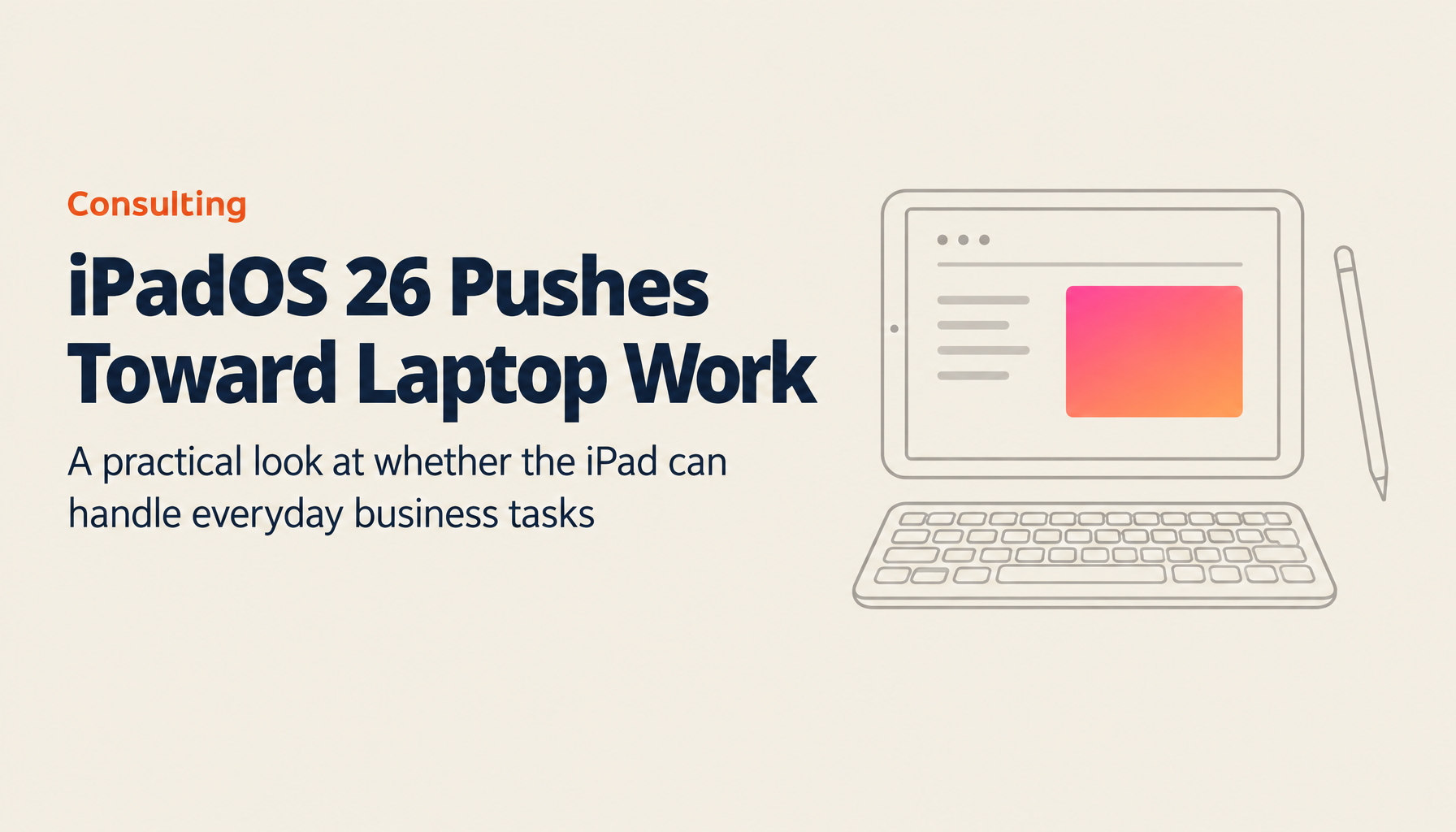
"Tablets Are Great for Media, But Not Enough for Real Work" — That Changes with iPadOS 26
"Tablets are great for watching videos and reading, but not quite up to serious work" — if that's been your impression, iPadOS 26 is worth your attention.
Apple's latest update is a clear and deliberate push to make the iPad a device you can genuinely rely on for real work. The improvements to multi-window functionality and window management in particular go far beyond the limitations of previous iPads.
You can now run multiple apps side by side, resize windows freely, and move through tasks as fluidly as you would on a laptop. And with improvements to Apple Pencil and external keyboard integration, plus a revamped file management system, the iPad now has the flexibility to handle daily business tasks and creative work with genuine capability.
This article takes an in-depth look at iPadOS 26's standout features in real-world business contexts. Can the iPad truly replace a laptop? How should you split your time between the two? We'll work through those questions and explore what new ways of working this update makes possible.
- Multi-Window Goes to Another Level: The New Working Environment iPadOS 26 Makes Possible
- Business and Creative Use Under the Microscope: When iPad Becomes a Work Tool
- iPad vs. Mac: How to Split Them for Optimal Hybrid Work
- Summary
Looking for AI training and consulting?
Learn about WARP training programs and consulting services in our materials.
Multi-Window Goes to Another Level: The New Working Environment iPadOS 26 Makes Possible
At the heart of iPadOS 26 is a dramatic evolution in multi-window mode and window management. With this update, users can freely resize windows via touch while keeping any app open, and opening multiple windows at once is now straightforward. What used to feel like an inherently full-screen device has been transformed — you now have an environment where multiple tasks can run side by side, much like a desktop computer. Drag windows to stack them, push them to one side, or arrange them however you like — reviewing documents, checking email, browsing the web, and editing can all happen seamlessly.
The most immediately noticeable improvement for users is the freedom and responsiveness of window sizing. The old iPad multitasking had limitations, and adjusting window sizes and arrangements could feel clunky. In iPadOS 26, windows resize in real time as you drag, and apps instantly redraw to fit the new dimensions — the experience is notably smooth. That said, this doesn't apply equally to every app; some applications adapt more gradually, and there are reported cases where adjustments require a bit of trial and error. Even accounting for this, the overall multi-window experience has unquestionably taken a major step forward.
In addition to window positioning and sizing, new gestures and controls have been introduced to complement the experience. Double-tapping the top of a window switches it to full screen, and specific swipe gestures quickly shift windows into side-by-side layouts. This means you can make the most of your screen space while maintaining flexible window control that fits your way of working.
This feature goes beyond mere window management — it has the power to transform how you work altogether. Even on a smaller screen, the flexible arrangement of windows and adaptive design make it easier to review business documents, attend video meetings, and handle data entry smoothly.
The impact of window management extends beyond the screen itself. iPadOS 26 also integrates a menu bar into apps in a "Mac-like" way, as part of the updated interface. Notifications, Control Center, and even the minimize and expand button behaviors are all designed with a nod to how things work on macOS — making it easy to pick up intuitively. The ability to swipe down within a window to reveal an app-specific menu bar is a genuinely fresh interface experience that previous iPadOS didn't have, and it's a feature that business users accustomed to desktop environments will find particularly compelling.
Window management flexibility also brings a high degree of customization to specific work scenarios. Depending on the nature of the work, optimized window sizing and arrangement can serve diverse purposes — real-time analysis of financial data, reviewing architectural drawings, sharing materials during meetings, and more. This flexibility is what's driving the iPad's evolution from "a device for device-specific apps" to something more like a general-purpose computer. User customization settings are also saved and persist after a restart — a detail that meaningfully reduces the time spent getting back up to speed.
In every sense, the multi-window and window management capabilities of iPadOS 26 go far beyond a visual refresh. They represent a technology that directly improves fundamental work efficiency — and they bring genuine innovation to how the iPad functions in a business context. The intuitive touch interface, combined with a new level of flexibility that rivals traditional computers, is expected to be adopted by an increasing number of apps going forward, delivering wide-ranging benefits in day-to-day work. Tasks that once required a laptop — reviewing multiple reference documents while editing a report, accessing cloud services while browsing the web — are now increasingly possible on a single iPad. Users can also switch multi-window mode on and off as needed, making it easy to move between focused single-app use and full multitasking mode — which is a significant advantage in its own right.
It's also worth noting that even on smaller models like the iPad Mini, multi-window performs impressively, delivering an experience that doesn't feel constrained by the physical size. In practice, windows on the iPad Mini float and layer over each other, maximizing the amount of information visible within the limited pixel count while keeping the experience navigable. This approach means that regardless of model size, users can enjoy consistently high productivity — which is especially valuable for on-the-go work or checking materials while traveling.
Taken together, the innovations in iPadOS 26 deserve to be recognized as something that fundamentally elevates the value of the iPad as a tablet — not just a cosmetic update. An iPad that was previously confined to media consumption and light tasks is now showing serious potential to establish itself as a genuine business tool. Excitement about what further software updates will bring continues to build.
Business and Creative Use Under the Microscope: When iPad Becomes a Work Tool
Real-world reviews of the iPadOS 26 beta confirm that the iPad is increasingly being used as a genuine work tool. What's striking is how this update has expanded iPad's capabilities beyond the video, web browsing, email, and chat it's historically been used for — into office tasks like document creation, image editing, and PDF signing.
What stands out most is how the evolved window management and multi-window capabilities now allow multiple tasks to run concurrently on a single iPad. In real usage scenarios, users were seen smoothly handling tasks that were previously difficult on a tablet: opening a document, checking email, having a Slack conversation, and editing a file — all at once. iPadOS 26 is widely recognized as an update that dramatically raises this kind of practical usability.
That said, in real-world use some limitations remain. PDF signing workflows and file management, in particular, require a few more steps on iPad than on a computer. For example, opening a PDF received via Slack required going through a browser, selecting "Share" or "Markup," and then signing — which, compared to the more streamlined process on a laptop, does create some friction. Even so, it was possible to complete the task. What makes it work is iPadOS 26's flexible multitasking, which keeps app-to-app handoffs smooth — and that means the potential for meaningful workflow efficiency is genuinely there.
The improvements to keyboard case support and cursor control in iPadOS 26 also contribute significantly to day-to-day business productivity. The ability to use both a physical keyboard and the touchscreen offers a level of "comfortable input" and "improved operability" that wasn't available in previous tablets, delivering a working experience that feels much closer to using a laptop. These improvements make it much more intuitive and efficient to handle a wide range of tasks — from document creation and data entry to creative image editing.
The revamped file management system is another major highlight. The new Files app has been refined to handle external storage connections, import/export, and server connections more simply and cleanly, and users can quickly find the files they need. That said, minor inconsistencies do appear — such as AirDrop received media not always being sorted into the Downloads folder — and future updates will need to address these for a more consistent experience overall.
The iPad's physical lightness is also a significant advantage for daily commutes and on-the-go work. Compared to a MacBook Pro, the reduction in carry weight is substantial, and the convenience for reviewing meeting materials on the move or doing quick edits away from the office is notable. Apple Pencil and other handwriting capabilities are also genuinely useful for business, coming in handy for meeting notes and sketches.
Based on these hands-on evaluations, iPadOS 26 isn't simply trying to be a laptop replacement — it's demonstrating that the iPad's unique strengths (exceptional portability, intuitive touch input, and broad accessory integration) make it fully capable for not just media consumption, but general business and creative work. Of course, it would be disingenuous to say editing-heavy tasks don't still feel more natural on a MacBook Pro — but across the full range of daily work, the iPad is increasingly capable of handling most of it on its own. A new way of working is starting to feel genuinely plausible: reach for your laptop only when you need it, and run your daily work efficiently on a lightweight, versatile iPad.
iPad vs. Mac: How to Split Them for Optimal Hybrid Work
For business professionals, what matters is not just the raw performance of any given device, but understanding the different roles and use cases of each device and making smart tool choices. The arrival of iPadOS 26 demonstrates that the iPad is no longer a simple media device — it's now "nearly laptop-grade" in versatility. But whether iPad can fully replace a MacBook still depends heavily on what you're doing. In actual business use, there are still moments in image editing, video editing, and complex document creation where you want the tactile feel of a physical keyboard and stable cursor control. In those respects, the refined hardware of a MacBook Pro remains the stronger tool — which is why the current reality calls for a new hybrid work environment that draws on the strengths of both.
For business use, the iPad's portability makes it well-suited to mobile-heavy work, and pairing it with a MacBook opens up a flexible way of working.
The touch input, Apple Pencil support, and intuitive stylus-based handwriting that the iPad offers create value that a laptop simply can't replicate. Using it as a whiteboard substitute in meetings, or capturing inspiration as a sketch in the moment, is genuinely useful not only in creative fields but in everyday business settings. Some iPad models also come with cellular connectivity as standard, which is a real advantage for instant connection outside the office or in locations without reliable Wi-Fi.
Rather than choosing one or the other, the recommended approach is a hybrid arrangement that uses each device in the situation where it performs best. Heavy editing and large-scale data processing go to the MacBook; document review, email checks, and meeting note-taking go to the iPad. Keep the optimal workflow running by putting each device in its right role. This complementary relationship between the two devices will only become more valuable as digital tools continue to evolve.
Apple's ecosystem cohesion also makes this kind of split easier to put into practice. Seamless data sync via iCloud and the ability to hand off tasks between iPad and MacBook using Handoff create a continuous working environment between the two devices — significantly enhancing the user experience. For today's business professional, this combination of centralized data management and strengthened device interoperability is a genuinely compelling proposition.
In sum, iPadOS 26's evolution symbolizes the iPad's transition from "media device" to something now recognized as a near-complete "laptop alternative." That said, for certain use cases the MacBook remains the better choice — which is why users need to understand the characteristics of both and deploy them appropriately. Ultimately, the iPad's innovative touch interface and flexible multi-window management offer a feel that's distinctly different from a traditional computer, and it's poised to be the right tool for a new way of working.
Summary
The iPadOS 26 update dramatically expands what the iPad can do, pushing it from a media device into a genuinely capable work tool. Through innovative multi-window functionality, evolved window management, intuitive touch input, and improved file management, the iPad can now handle a diverse range of business tasks with real flexibility. At the same time, MacBook's superior editing environment and robust hardware remain compelling, and it has become clear that the key to productivity lies in intelligently deploying both.
For business professionals, the right tool for the right task is what matters. MacBook continues to play an important role in demanding editing work and large-scale data processing. By recognizing the strengths of both devices and building a hybrid work environment suited to each situation, users can achieve more efficient, more effective business operations.
Taken together, iPadOS 26 brings the concept of "iPad as a computer" meaningfully closer to reality — and offers a genuine new possibility for the digital lives we're building. Don't miss this opportunity to experience Apple's latest evolution firsthand; consider how it fits into your own work environment. As further improvements and advances lie ahead, the iPad will continue to shed new light on how we work — and meet the diverse needs of the digital era.
Reference: https://www.youtube.com/watch?v=AphNalSmvlk
TIMEWELL AI Consulting
TIMEWELL is a professional team supporting business transformation in the age of AI agents.
Services
- AI Agent Implementation Support: Business process automation using GPT-5.2, Claude Opus 4.5, and Gemini 3
- GEO Strategy Consulting: Content marketing strategy for the AI search era
- DX Promotion and New Business Development: Business model transformation powered by AI
In 2026, AI has shifted from something you "use" to something you "work alongside." Let's think through your AI strategy together.
Related Articles
- From Full-Time to Part-Time: Life After Two Maternity Leaves and How My View of Work Changed | TIMEWELL
- Before Paternity Leave (Part 2): Three Things You Absolutely Must Do to Take Leave During Busy Season
- Staying True to the Field: How the 5th-Generation Head of a Construction Firm Found His Own Way | Fujita Construction