This is Hamamoto from TIMEWELL.
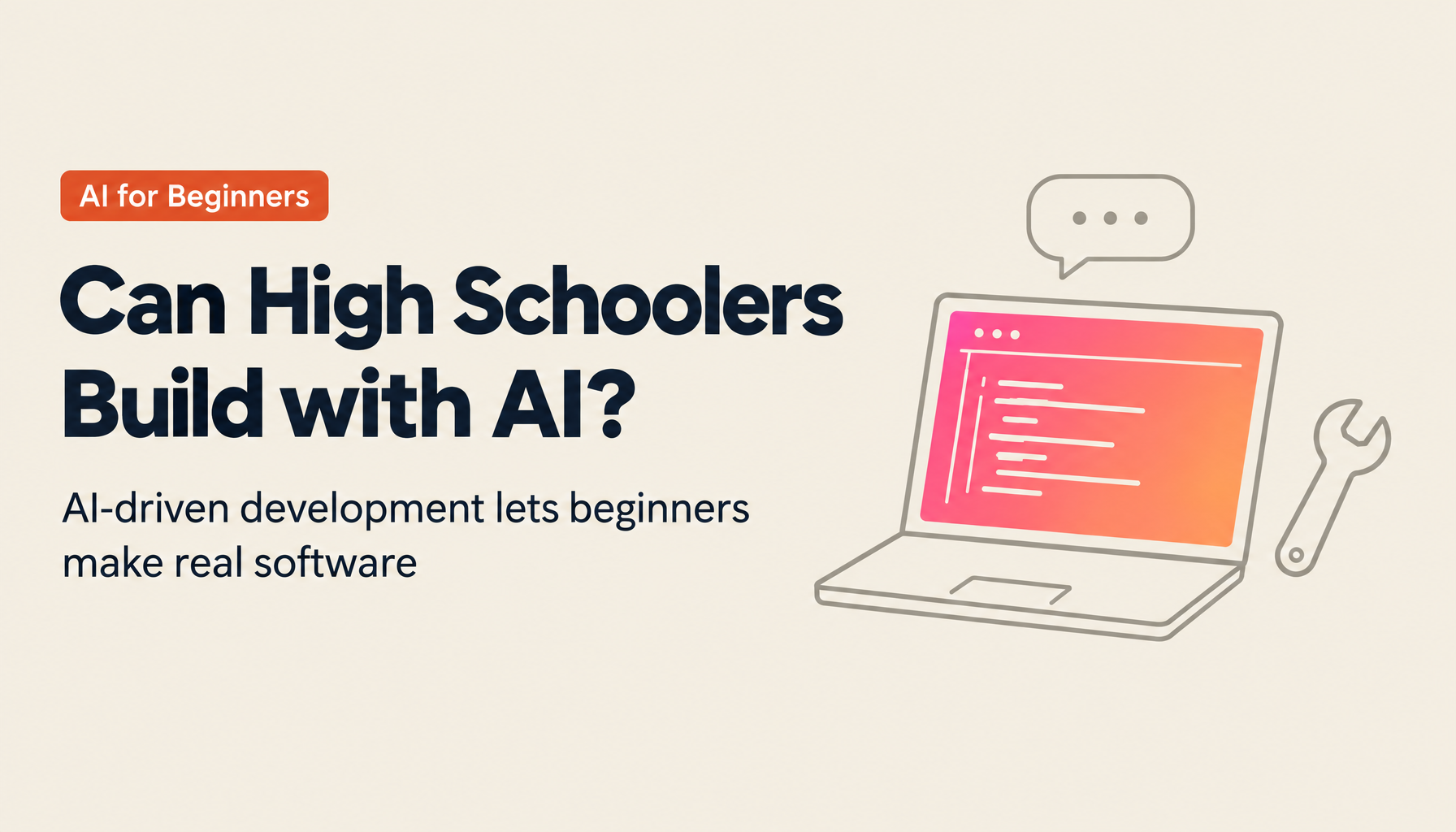
Yes, high school students can do AI development. But let me be precise about the words: by AI development, I do not mean research-grade work that builds an AI model from scratch. I mean "AI-driven development" — having generative AI write the code while you build your own website or app. A high school student with zero programming experience can create a working product by giving instructions in plain language. In this article I untangle the misunderstanding around the phrase "AI development," explain why beginners can build working software, show concrete examples of what high school students can make, cover the precautions for starting safely, and lay out how schools can run this systematically — all drawing on our experience training more than 500 people, including working adults with no programming background, in AI-driven development.
The readers I have in mind are high school teachers, parents, and students themselves. If your gut says "AI development is something science majors do at university," that instinct dates from around 2022. What changed, and how? Let me walk through it in order. For teachers and parents who want to gauge their own AI understanding first, we also offer a free AI literacy check that takes three minutes.
"AI development" is two entirely different things wearing one name
Search for "high school students AI development" and you get a scattered mix of contest results, event announcements, and course landing pages. What strikes me is that the phrase itself is being used for two activities of completely different natures — and almost nothing explains the distinction systematically. That is where the confusion starts, so let me separate them first.
The first meaning is developing the AI model itself. You study machine learning theory, write Python, and train models on large datasets. This is the territory of university computer science departments and corporate research labs, and it presumes a grounding in linear algebra and statistics. I will not say it is impossible for high school students — some do take on machine learning in Super Science High School research projects. But starting here from zero is a steep climb.
The second meaning is using AI as a tool to build products. What you build is not AI; it is a website, an app, or a data-analysis workflow. Generative AI shoulders the code-writing, while the human thinks about what to build, who it serves, and whether the output is correct. This article is about the second kind, the approach known as AI-driven development.
| Aspect | AI model development | AI-driven development |
|---|---|---|
| What you build | The AI model itself | Websites, apps, analysis tools |
| Prerequisites | Math, programming, ML theory | The ability to describe what you want in plain language |
| Main tools | Python, GPUs, training data | Conversational generative AI, a browser |
| Distance from a high schooler | Far (a select few can attempt it) | Near (beginners can get there) |
When a parent or teacher feels "AI development is out of reach for my kid," the image in their head is almost always the first kind. Meanwhile, when companies and governments talk about "AI talent" today, they increasingly mean people with the second kind of skill, broadly defined. Just sharing this distinction at home or in the classroom makes conversations about career paths and lesson design click into place.
What a waste it is when this mix-up of words stops the attempt itself. A student decides they cannot do it because they are weak at math. A teacher steers clear because it is outside their subject. A parent concludes it is irrelevant because their child is not going into the sciences. Every one of those judgments assumes the first kind of AI development, and none of them holds in the second world. What AI-driven development requires, as I explain below, is the ability to put what you want to build into words. If anything, it is a world where language skills pay off.
What AI-driven development is, and why beginners can build working software
AI-driven development is a style of building software through back-and-forth with a conversational generative AI such as ChatGPT, Claude, or Gemini, delegating code generation, revision, and error fixing to the AI. Some people call it "vibe coding," after the way you build on the momentum of a conversation. Whatever the name, the substance is a loop: state your request in plain language, run the code the AI writes, then describe in plain language what you want changed.
What actually changed for beginners? Traditional self-study had three high walls.
The first was the syntax wall. You could build nothing until you had memorized variables, conditionals, and functions. Now you can say, "Please build a page that introduces our school festival food stalls with a map," and a working draft comes back in under a minute. The thing you want to build comes first; the syntax comes later. The order of learning has been inverted.
The second was the error wall. Most self-study dropouts happened during the hours spent staring at an inscrutable error message. Now you paste the error message and say "please fix this." The first thing we tell our own trainees is that an error is not a failure — it is your next question to the AI. You can watch faces change when that lands.
The third was the environment-setup wall. Installing and configuring development tools used to eliminate beginners before they wrote a single line, but browser-based services that let you write and run code with nothing to install have lowered that barrier considerably.
To make the process concrete, take a vocabulary-drill app as an example. You start with, "Build me a flashcard app that stores English words and their meanings and quizzes me at random." The AI produces code; you run it. Complaints surface: "I want it to repeat only the words I got wrong," "the text is too small on my phone." You relay those in plain language and it gets fixed. Repeat that loop ten, twenty times, and the initial draft grows into your own tool. It feels less like programming and more like being a demanding client in a series of meetings with the AI. And here is the interesting part: through that loop, students end up practicing requirements definition and testing — the heart of software engineering — without ever learning the terms.
Please do not misread this as "no more thinking required." Whose inconvenience are you solving? Where do you draw the line on features? Is what the AI produced actually working correctly? That design and verification work is the real body of development, and it remains a human job. If anything, with the typing gone, the share of thinking has gone up.
At TIMEWELL, through our AI mentoring program WARP, we have taken more than 500 people — including non-engineers in sales and planning roles with no programming background — all the way to finishing a product with AI-driven development. Our WARP ENTRE program for entrepreneurs runs as a partnership project with the Tokyo Metropolitan Government. From that experience I can say flatly: what separates those who finish from those who do not is not programming aptitude. It comes down to two things. Can you put what you want to build into concrete words, and can you tolerate the run-and-fix loop without getting annoyed? And on both counts, high school students are often stronger than adults. Adults lead with "I don't want to be wrong"; teenagers decide much faster that they can just fix it.
Looking for AI training and consulting?
Learn about WARP training programs and consulting services in our materials.
What high school students can actually build: websites, apps, and research analysis
So what, concretely, can they make? Here are the materials we have used in training non-engineers, translated into high school life, in three streams.
| Stream | Example projects | Best fit for |
|---|---|---|
| Websites | A club introduction site, a school festival page, a page introducing local shops | Someone who wants to finish one thing first |
| Apps and tools | A flashcard app, a study-time tracker, an automatic chore-rota generator, event survey tallying | Someone who wants to fix a nearby inconvenience |
| Research and data analysis | Classifying open-ended survey answers for an inquiry project, charting municipal open data, analyzing club activity records | Someone who wants to deepen inquiry-based learning |
The best first project is a website. It takes visible shape within hours, and you can tell your family and friends, "look at this." That first experience of finishing determines the learning curve that follows. For a school festival page, for instance, the skeleton emerges from just three elements: the list of stalls, a venue map, and a timetable. Keep ordering changes — "our class color should be blue," "put the map first on mobile" — and you reach publishable quality within days. Fancy features are unnecessary. Finishing, and being used by someone, comes first.
Apps and tools pair well with everyday inconveniences. Completion rates are far higher when you start from the clutter on your own desk rather than from a grand social problem. The first assignment we give trainees is the same: "build something that you, or someone within five meters of you, will use this week."
The third stream, research and data analysis, is especially valuable in a high school context. Use AI to classify the open-ended answers from a survey you ran in your inquiry class; chart a municipality's open data to test a hypothesis. If your question is "is our local shopping street really declining?", you can have AI help you tabulate municipal statistics and visualize the trend, then walk the street yourself to check. Inquiry work that used to end at a poster presentation can now end in a working product or a verifiable analysis. For how to combine inquiry-based learning with generative AI — including how to design against wholesale outsourcing to the AI — see our hands-on article on inquiry learning and generative AI.
A digression: parents sometimes ask me, "won't they just build games all day?" I am in the don't-stop-them camp. When you build something yourself, you want to fix it more than play it. The moment a student moves to the maker's side, improvement time starts to outgrow play time — and if that switch flips, the goal is met regardless of the subject matter.
Zoom out one more level and you find that creating things with AI as the tool is becoming mainstream at the frontier of science itself. The 2024 Nobel Prize in Chemistry went to David Baker, who pioneered computational protein design, and to Demis Hassabis and John Jumper, who developed the protein-structure-prediction AI AlphaFold1. The experience of building with AI in high school connects to any career direction, sciences or humanities. For what is happening on the science side, see our guide to AI for Science.
Starting safely: rules, personal information, and preventing wholesale outsourcing
If you are now thinking "let's start today," there are four things to check first — especially you.
First, school and household rules. Japan's Ministry of Education (MEXT) has published "Guidelines on the Use of Generative AI in Primary and Secondary Education," revised to Ver. 2.0 on December 26, 20242. For classroom use, each school's and board of education's policy built on these guidelines is the starting point. If you start at home, agree with a parent or guardian on what it will and will not be used for before you begin.
Second, personal information. Never type names, addresses, face photos, grades, or your friends' information into a prompt. Treat anything entered into a cloud AI as something you cannot take back. The same goes for publishing: before your website or app goes live, pause before including real names, your school's name, or photos that reveal locations.
Third, terms of use. Generative AI services each set age requirements and parental-consent conditions in their terms. The details differ by service, so check before creating an account. For school-wide use, education plans or school-managed accounts are the easier form to govern.
Fourth, preventing wholesale outsourcing. Submitting AI output you do not understand is worse than zero as learning — it is negative. What works is keeping the AI conversation log and making the process itself — what instructions were given, how the output was revised — part of what gets assessed. You cannot detect outsourcing from the deliverable alone; you can spot it at a glance from the process. This is exactly what we do in adult training, and it works at any age.
Connected to this, get one premise into your bones early: AI output can be wrong. Generative AI sometimes produces plausible-sounding content that is factually incorrect. If you take on the research-analysis stream, the extra step of checking AI summaries against the source data and confirming citations yourself is non-negotiable. So is the restraint of not pasting other people's writing or images into prompts and passing the output off in your own work. Turn it around, though, and the habit of verification and source-checking is itself a considerable education for the AI era.
Honestly, I think "ban it because it is risky" is the easiest choice and the most costly one. The gap between schools that set rules and let students use AI, and schools that ban it and feel safe, will show up three years later as a gap between their students. That said, unguarded use is not acceptable either. The four points above are the floor.
The three most common stumbling blocks, and how to get past them
People who start tend to stumble in predictable places. Knowing them in advance changes completion rates dramatically, so here are the three that matter.
First: making the initial project too big. A grand theme like "an app that solves a local social problem" is a poor first build even for adults. The trick is to shrink the scope until it takes shape within a few hours — when in doubt, narrow it down to "something I will personally use this week." Save the grand questions for the second project. Only students who finish something small get to move on to something big.
Second: freezing the moment an error appears. In AI-driven development, you can paste the error message straight into the AI and ask, "What does this mean, and how do I fix it?" — and most of the time, you move forward. Errors are not failures; they are raw material for the conversation with AI. Whether an instructor can get students over this psychological hurdle in the very first session is, I believe, where teaching skill shows. Once a student learns in their bones that pasting an error solves it, they almost never stall again.
Third: never showing the finished product to anyone. Once it works, have someone use it — family or friends, anyone. A single comment like "this button is hard to press" or "this color is hard to read" becomes fuel for the next revision. Students who enter the build–show–fix loop keep improving without the teacher issuing detailed instructions.
The common remedy for all three is not carrying it alone. Ask the AI, show a friend, consult a teacher. In the era when programming belonged to a gifted few, stumbling meant quitting. Today most stumbles dissolve in a conversation with AI — and the ones that do not are precisely where an experienced companion earns their keep.
Running it systematically at school: policy tailwinds and a working template
You can start alone, today — that is the beauty of AI-driven development. But doing it as a school has distinct value: opportunity reaches the students who would never reach out on their own, it connects with inquiry learning and informatics, and safety can be designed once for everyone.
Policy tailwinds are blowing too. The grand design for the N-E.X.T. High School Vision, which MEXT released in February 2026, sets out a two-stage approach: cultivate the abilities AI cannot replace, then build "the groundwork for using AI to create new value"3. The debate over banning generative AI is already past; national policy has moved on to the assumption that students will master it. For the full picture of the vision, see our guide to the N-E.X.T. High School Vision, and for where AI education sits in it, the AI education companion article. On the environment side, the High School DX Acceleration Project (DX High School) received 5.2 billion yen in the FY2025 supplementary budget to support digital inquiry-learning environments4.
For running it at school, I recommend a simple four-stage template.
- Put the usage rules on one page. Ground them in the MEXT guidelines and school policy, and center them on examples of recommended use rather than lists of prohibitions.
- Teachers go first. Before any all-staff training, have two or three teachers — informatics and inquiry leads — try AI-driven development in their own work. The credibility inside the school changes completely.
- Run a half-day build session. An everyday school inconvenience is plenty for the first project. The point is a finishing experience for every student.
- Close with presentations and reflection. Have students share not only what they built but how they talked with the AI, and the quality of use rises across the whole grade.
Career connections matter here too. A product built through AI-driven development, paired with the conversation log and the record of improvements, becomes the student's portfolio as is. A student who can show in concrete form what they tackled and how they iterated is strong in inquiry presentations and in later admissions and career settings alike. What gets valued is less the artifact than the ability to narrate having seen it through. A report is finished the moment it is submitted; a product remains, and can keep growing. Over three years, that difference compounds.
Supporting stages 3 and 4 with school resources alone is, frankly, a tall order. For the feel of code generation, debugging when stuck, and judging what is safe to publish, having someone who builds with AI professionally at the student's side is simply faster. We provide exactly that through WARP for Schools, our program for schools and educational institutions — from lesson design to hands-on mentoring while students build — tailored to each school's situation. An exchange of notes is a fine way to start, so teachers wrestling with how to connect inquiry and AI are welcome to reach out. If you are at the stage of concrete planning, please contact us through an individual consultation.
Summary
- "AI development" carries two meanings — building AI models, and building with AI — and the one open to high school students is the latter: AI-driven development.
- Generative AI has lowered self-study's three walls — syntax, errors, and environment setup — so beginners can reach a working product.
- The best first project is a website; the best subject is a nearby inconvenience. Research data analysis pairs naturally with inquiry learning.
- The safety floor is four items: check the MEXT guidelines and school policy, keep personal information out of prompts, confirm age requirements in the terms of use, and prevent outsourcing through conversation logs.
- For schools: rules on one page, teachers first, a half-day build, then presentations. A practitioner alongside changes completion rates dramatically.
When I was in high school, "people who could build things" meant the few with special training. Today, the people who can build are the people who can put what they want to build into words. The sooner a student notices this shift, the more interesting their three years of high school become. Start this week: find one inconvenience within five meters of you, and put it into words.
References
Related articles
- High School Inquiry-Based Learning × Generative AI: Practical Steps to Empower Students
- What Is the N-E.X.T. High School Vision? A Clear Guide to MEXT's Grand Design for High School Reform
- What Are "Abilities AI Cannot Replace"? How High School AI Education Will Change
- What Is AI for Science? The AI Frontier Transforming Scientific Research
Footnotes
-
Google DeepMind, "Demis Hassabis & John Jumper awarded Nobel Prize in Chemistry" (October 9, 2024) ↩
-
MEXT, "Guidelines on the Use of Generative AI in Primary and Secondary Education (Ver. 2.0)" (December 26, 2024) ↩
-
MEXT, "Basic Policy on High School Education Reform (Grand Design) — The 'N-E.X.T. High School Vision' Toward 2040" (February 13, 2026) ↩
-
MEXT, briefing material "6. Related Measures" (High School DX Acceleration Project, 5.2 billion yen in the FY2025 supplementary budget) ↩
![High School Inquiry-Based Learning × Generative AI: Practical Steps to Empower Students [The N-E.X.T. High School Era]](/images/columns/highschool-inquiry-based-learning-ai/cover.en.png?dpl=dpl_b9AFe8evGybVjyMpbtwNVD9Mejnt)