From TIMEWELL
This is Hamamoto from TIMEWELL Inc.
Creating Business Presentations Is Now a Daily Task
Creating business presentations in PowerPoint or Google Slides has become a daily part of corporate life. Yet the traditional approach can take hours or even tens of hours, and there has been a strong need for innovative solutions to improve operational efficiency. Into that gap have come "AI presentation generators" — tools that can automate the creation of proposal decks, sales materials, internal briefing documents, and a wide variety of other materials. Thanks to the rapid evolution of AI, these tools are now accessible to beginners while offering advanced users greater freedom through more sophisticated prompt techniques.
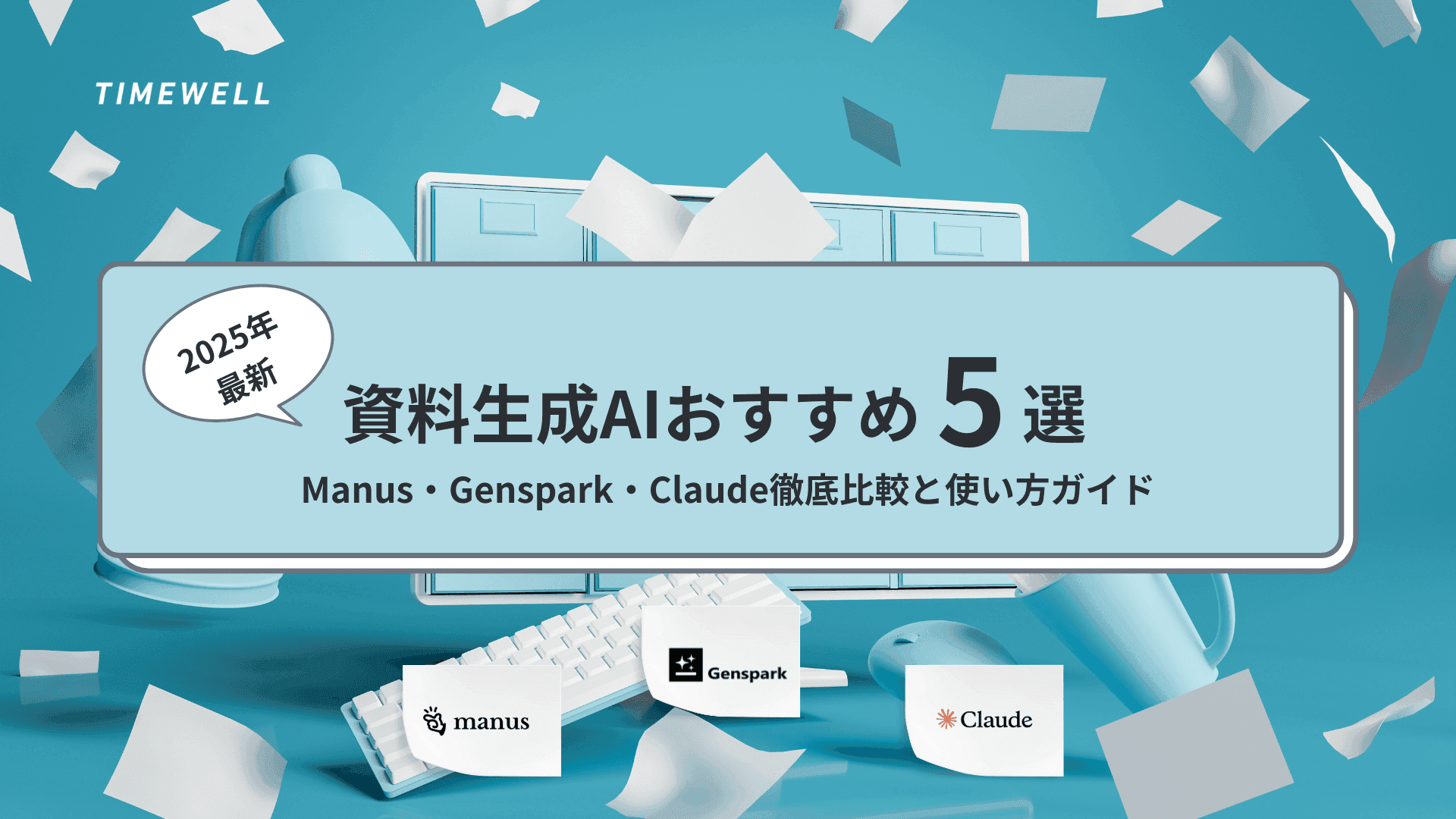
This article focuses on AI presentation generators, explaining in detail — from beginner to advanced level — the features, usage, strengths, and weaknesses of five representative tools: Manus, Genspark, Skywork, Gamma, and Claude. We cover the code-generation approach used internally by some tools versus the direct PowerPoint generation approach, along with each tool's research capabilities, editing functions, and security considerations, illustrated with actual demonstration examples. In addition, we walk through the flow of actually using an AI presentation generator to create a document, including concrete examples of how to write prompts to get the best output.
Adopting this innovative technology dramatically reduces the time normally spent on routine work and frees up more time for creative tasks. On the information security side, many of the tools are headquartered in Singapore and adopt systems modeled on international data protection standards including GDPR. That said, companies are ultimately advised to review each tool's privacy policy before making a final safety determination. AI presentation generation is a field that will continue to evolve, and even today it stands as a powerful technology for driving significant operational efficiency improvements. Throughout this article, we aim to give you a complete picture of what AI presentation generators can do.
- What Are AI Presentation Generators? How They Work and the Background of Their Evolution
- Features and Best Uses: Manus, Genspark, Skywork, Gamma, and Claude
- Practical Workflow and Key Considerations for AI Presentation Generation
- Summary | How AI Presentation Generators Are Changing the Future of Business Documents
Looking for AI training and consulting?
Learn about WARP training programs and consulting services in our materials.
What Are AI Presentation Generators? How They Work and the Background of Their Evolution
An AI presentation generator is a system that takes text input, generates an optimal outline, and then designs and polishes that outline into a finished presentation. PowerPoint or Google Slides are commonly used as output formats, and you can choose based on your needs. This approach greatly reduces the labor involved in traditional manual document creation while making a major contribution to saving time in everyday business operations.
The approaches taken by AI presentation generators fall broadly into two categories. The first is the code-generation approach; the second is the approach that directly uses slide creation tools such as PowerPoint. In the code-generation approach, the AI internally generates code such as HTML and CSS and creates the presentation by previewing it. Tools such as Manus, Genspark, and Skywork apply this code-generation technology: the AI automatically places each element of the presentation (text, layout, images, etc.) and then converts the result to PowerPoint format.
Direct Output Tools Like Claude
Tools like Claude may adopt an approach that outputs the material directly in PowerPoint format. Compared to code-generation tools, this method tends to produce fewer layout discrepancies and more consistent results. This direct-creation approach is valued especially for its ability to keep design simple while flexibly accommodating user modification requests.
What is important in the evolution of AI presentation generators is the AI's own research capability and editing functions. With tools that have these capabilities, users no longer need to move between multiple sources — the AI automatically integrates the necessary information. This improves the reliability of the material and enables companies to rapidly create presentations incorporating the latest information. There is no longer any need for users to hunt for information across multiple tools; the AI automatically performs research in the background and integrates what is needed.
Each tool also has its own strengths. Genspark, for example, tends to produce high-quality output in a single attempt, and using the same prompt multiple times tends to yield stable, consistent results. Skywork can save images and files, and the ability to use company logos and proprietary templates eliminates the need to upload the same files every time. Gamma uses an approach of filling words into templates — a mechanism that falls between code-generation and direct generation. It is simple and intuitive to operate, but somewhat limited in customization. Claude, meanwhile, has the ability to generate PowerPoint files directly, and its ease of editing after creation is a key attraction. Further precision improvements are expected in upcoming version updates.
The key points about AI presentation generators can be summarized as follows:
- AI performs research and auto-generation simultaneously, completing high-quality materials in a short time
- The difference between code-generation and direct-creation tools enables selection based on use case and operating environment
- While there are fine differences between tools, the basic functions are common, and many users choose based on preference for the feel of the interface
- On security, reliable frameworks are in place — for example, Singapore headquarters
Free plans are available for each tool, and paid plans are generally available from around $20 per month. The features and storage available vary by plan. As a result, adoption is growing not just among individuals and small businesses but also at large enterprises. On the other hand, there have also been cases where usage was restricted for companies in certain countries (such as China), so companies are advised to thoroughly review the terms of service and privacy policy. From an information security standpoint, it is important to pay attention to how each tool manages data and whether it may be used as training data. For example, tools typically state explicitly that "data used in this session will not be used for training" — which is a major source of reassurance for users.
The flow of actually using an AI presentation generator is also interesting. First, the user uses a tool like ChatGPT to decide on an initial outline, title, and heading structure, then enters a prompt into the chosen tool to create a draft of the document. The created document can be checked on a preview screen, and fine adjustments are possible. In Manus's case in particular, you can edit after creation as you would in Word — applying bold, changing colors, inserting images, and other operations just like traditional PowerPoint editing. Skywork similarly enables customization that reflects the company's brand image, including saving proprietary templates, uploading images, and automatically placing logos.
The appeal of AI presentation generators lies not only in automating simple tasks, but in producing high-quality output that meets user needs in a short time. For example, a proposal that would take hours by hand can be completed in minutes with an AI presentation generator, with adjustments possible afterward — translating into a major saving of time and effort. AI-generated materials also have consistency in presentation and unity of design, making for documents that are visually polished and persuasive. Many companies have found that adopting such tools improves not just operational efficiency but also the quality of both internal and external communication.
Continuous Updates and Improving Capabilities
These tools are also continuously updated, and their functions, usability, and security are expected to continue improving going forward. In particular, tools like Claude that directly generate PowerPoint have the potential to realize more precise and flexible editing functions with future version updates, transforming the entire process of presentation generation. The influence of AI presentation generators on the presentation culture of companies is immeasurable, and they will undoubtedly play an important role in the business world going forward.
Features and Best Uses: Manus, Genspark, Skywork, Gamma, and Claude
Among tools that automatically generate presentations, Manus, Genspark, Skywork, Gamma, and Claude each have their own unique functions and characteristics. Starting with Manus, its greatest strength is its high research capability. Manus can collect information through browser operations, and in some cases users can log in themselves to have the system reflect content from members-only websites. This produces more reliable materials, enabling users to create persuasive proposal documents based on market trends and the latest statistical data. In addition, Manus uses a code-generation method that automatically arranges the design and text placement of each slide based on information accumulated in its knowledge base, which is highly regarded for consistency and few discrepancies between slides. That said, minor layout differences can occur when converting to PowerPoint.
Next, Genspark also adopts a code-generation approach and is highly regarded for its first-attempt accuracy. While it may produce a slightly darker design than Manus with the same prompt, it earns high marks from users for generating balanced documents in a short time. Genspark enables flexible placement adapted to the situation rather than a fixed template, and it is also valued for fewer discrepancies when exporting. This means it can be expected to deliver fast, accurate output even for proposal documents created at short notice before a meeting.
Skywork excels in particular for its image and file saving functions, and its ability to add proprietary templates and automatically place company logos is a strength. Many users highly value Skywork's knowledge base feature because it saves them the trouble of uploading the same images and logos every time. Its editing features are also excellent, and the ability to make fine adjustments to created materials as you would in Word is a design that lets you enjoy the benefits of AI auto-generation while maintaining the same operability as traditional PowerPoint creation.
Gamma: Template-Based with Some Customization Limits
Gamma, on the other hand, adopts an approach of filling words into templates, so some users may find it lacking in flexibility. While Gamma offers the simple operability of just filling in images and text, there are opinions that its customization range is narrow and it is not well suited for cases where individual design matching the company's brand is required. However, for beginners using AI tools for the first time, the simple and intuitive operation can be an attraction.
Claude is unique among these tools in its ability to generate PowerPoint files directly. Based on the prompt entered, it creates simple, precise materials with few layout discrepancies in a short time. Personally, I have been using Manus as my main tool, but I have come to feel that Claude's direct generation function reduces editing effort and produces high-quality output in one shot. Compared to the ability to create PowerPoint materials directly from ChatGPT, there are some slight differences in precision, but Claude can be evaluated as superior in terms of usability.
The characteristics of each tool can be compared from the following perspectives:
- Research capability: Manus can access paid sites requiring login, enabling thorough research
- First-attempt precision: Genspark can create unified materials in a short time
- Editing functions: Skywork makes it easy to save images and add templates
- Direct generation accuracy: Claude generates PowerPoint directly, resulting in few discrepancies and stable output
As each tool has its pros and cons, which is best cannot be determined categorically. It is therefore ideal to try the free plan and select the tool best suited to your own operations. Furthermore, each tool is continuously updated, improving usability and functionality day by day. In Genspark, for example, because it uses a code-generation approach, features for fine-tuning individual elements of the document have been added, and research data and specific figures are now reflected as well. Conversely, Claude's direct generation function is designed so that modifications after creation are easy and users can obtain high-quality output without having to touch every detail. With these characteristics in mind, it is important for each company to select the optimal tool based on the nature of its operations.
For usage scenarios, when creating a corporate proposal for example, the flow would be: first use a deep research tool like GPT to conduct market research and competitive analysis, then use each tool to generate an outline, and finally translate that into specific slides. When using Manus, the proposal document reflecting the latest information from the web is created in minutes, providing the benefit of being able to respond quickly even to sudden presentations or meetings. After editing, it is possible to process in each tool and finally export as PowerPoint, PDF, or Google Slides — a major strength in that it can be used in the same formats as before.
Given these characteristics, each company and user needs to select and use tools that match their operational workflows and required functions. Since the basic capabilities of each tool are similar, choosing based on UI usability and compatibility with your operational workflow is practical. Using multiple tools in parallel and switching to the most appropriate tool depending on the situation is also an effective approach. Achieving automation and efficiency in document creation through collaboration with each tool, and improving the overall business process, is considered directly connected to enhancing a company's competitiveness going forward.
Practical Workflow and Key Considerations for AI Presentation Generation
Here we explain in detail the specific flow of creating presentation materials using AI presentation generators, and important considerations in doing so. First, as a flow that many companies have adopted: initially use a deep research tool like ChatGPT to gather the document's title, heading structure, outline, necessary statistical information, and reference data. For example, first execute the "Deep Research" function to investigate information on each AI presentation generator (Manus, Genspark, Skywork, Gamma, Claude). At this stage, data from each tool is compiled together, and an outline forming the foundation of the document is created.
Next, Enter Prompts into Each Tool
Next, enter prompts into each tool to create the specific titles, headings, and scripts for each slide. In Manus, for example, entering a prompt generates each slide as code, which can then be previewed. Users can review this state and make modifications as needed. For modifications, there is a Word-like editing screen within the tool, allowing fine adjustments such as applying bold, changing colors, and swapping images or files. In an actual demonstration, the cover design was changed to something simpler after the document was created — you could see the user entering specific requests as prompts.
When exporting documents, each tool also supports a wide range of formats. Manus, Genspark, Skywork, and others can output created documents as PowerPoint, Google Slides, or PDF. Since supported formats vary by tool and plan, it is important to check the export function details before use.
- First, use ChatGPT (or a deep research tool) to decide the overall outline and structure of each slide
- Enter prompts into each AI presentation generator and create a draft using either code-generation or direct-generation
- Preview the generated document and make fine adjustments in the editing screen as needed
- Export the final output as PowerPoint, Google Slides, PDF, or other format, then perform a final review
This process realizes a dramatic time saving compared to traditional document creation. In particular, documents that previously took five or ten hours can be completed in tens of minutes — a major benefit for companies. Furthermore, the design of completed documents in the code-generation case exists as code in the background like a website's source code, and what you see is a preview of that — fine modifications are made in the in-tool editor. These aspects require users to make adjustments through prompts to match the quality they need.
As a note of caution, security confirmation is indispensable when using these tools. Each tool has clear policies about how entered information is processed and whether it may be used as training data. For example, Manus and Genspark explicitly state they will not be used for training improvement, which is said to reduce the risk of leaking company confidential information. However, with some tools data may be sent to the provider, so it is recommended to always confirm the privacy policy and terms of service before use. In cases where servers in specific countries such as China are used, it is also necessary to understand legal regulations and data management differences and take appropriate measures.
When you actually use AI presentation generators to create slides, the characteristics of each tool become clear.
Manus has high layout consistency, and even if slight discrepancies occur in some places, they can be easily corrected afterward. Genspark and Skywork have stable designs, and their image upload and logo auto-placement features are also easy to use — I feel there is not a large difference in the final document quality whichever tool you choose.
It is also effective for users themselves not to be fixed on just one tool but to use multiple tools depending on the situation for the most efficient document generation. For example, creating an initial draft quickly with Manus, then switching to Claude when fine modifications or consistency checking is needed — this kind of operational approach is effective. This allows AI tool capabilities to blend well with your own needs, improving the quality of the final output.
Most Importantly, Users Should Understand Each Tool
Most importantly, users should thoroughly understand each tool's characteristics and security policies and use them appropriately. With this awareness, AI presentation generators will contribute greatly to improving operational efficiency and enhancing corporate productivity.
Summary | How AI Presentation Generators Are Changing the Future of Business Documents
This article has provided a detailed explanation of the full picture — from the basics of AI presentation generators through each tool's characteristics, to practical usage workflows and key considerations. By introducing AI, the stunning efficiency of completing in tens of minutes what previously took many hours of document creation holds major potential for significantly reducing corporate workload.
On the security front, the fact that each tool adopts GDPR-compliant frameworks and is making efforts to minimize the risk of information leakage is also an important point. Confirming the privacy policy before use and selecting the tool best suited to your company's operating environment will be the key to further increasing the practical utility of AI presentation generators going forward.
AI Presentation Generation: More Than Just Efficiency
The use of AI presentation generators is an innovative approach that will attract increasing attention going forward — not just as a means of efficiency improvement, but as a way to enhance the completeness and persuasiveness of corporate presentations. As users understand the characteristics of each tool and actually practice prompt engineering hands-on, they will be able to generate the materials best suited to their company. As technology continues to evolve, these tools will achieve even greater precision and are expected to spread further as a powerful tool for driving operational efficiency.
AI presentation generators are a promising technology that significantly reduces employee work time and creates an environment where they can focus on more creative tasks. As the nature of document creation changes going forward, introducing the tool suited to your own goals will contribute not just to operational efficiency but to improving the quality, persuasiveness, and information communication power of your materials.
Reference: https://www.youtube.com/watch?v=x_6p7aDHfwo
Related Articles
- The Reality of a Working Mother Returning from Two Maternity Leaves — And How Her Work Philosophy Changed | TIMEWELL
- Before Taking Paternity Leave (Part 2): Three Absolute Must-Dos for Taking Leave During a Busy Season
- A First-Class Architect Who Stays Close to the Job Site — Finding My Own Path as the Fifth-Generation Leader of a Construction Company