Hello, this is Ryuta Hamamoto from TIMEWELL.
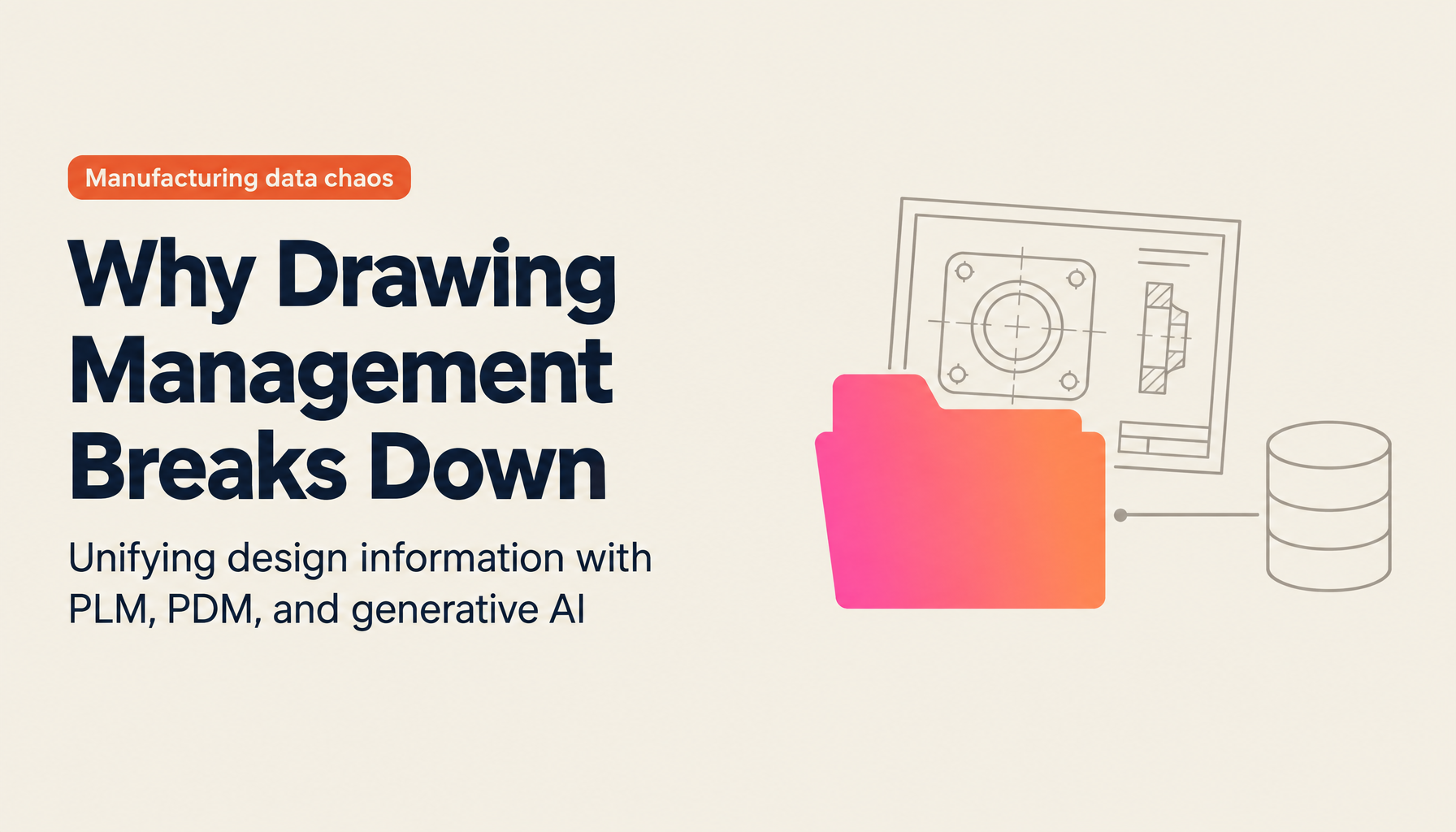
"The drawings for the same product are scattered across four or five places — design keeps them in PDM, manufacturing on paper and in Excel, sales on a file server, and quality in its own database." Talking with our manufacturing clients, I find that a company that has not fallen into this state is the rare exception. And the tricky part is not the scattering itself. The shared folder holds files named "latest," "latest_v2," and "latest_revised," and someone proceeds without knowing which is the real one, ending up machining from an old drawing. By the time anyone notices, material and labor have both been wasted. Managing drawings and design information is one of the areas in manufacturing where dependence on individuals and rework run deepest.
In this article, I first sort out the difference between the terms PDM and PLM, then look at where the real cause of drawing-management breakdown lies, and what generative AI can do before you bring in an expensive dedicated system — all from the hands-on perspective of design, quotation, and production engineering. If you want to take stock of where AI could work in your own operations before reading further, running the AI Readiness Check to sort out your current state first will make the content of this article easier to relate to your own situation.
Here is a summary of what you will learn, up front.
- How PDM and PLM actually differ, and which to tackle first
- The real cause of drawing-management breakdown, and why a dedicated system alone does not solve it
- A realistic way to start with generative AI from the drawing assets you already have, without waiting for a dedicated system
Why do drawings and design information end up scattered?
Drawings scatter not because the people handling them are careless. The root of it is structural: each department uses different tools for different purposes.
Design draws drawings in 3D CAD and PDM and manages versions there. Manufacturing runs on paper drawings that can be carried to the floor and on Excel ledgers for each process. Sales leaves the drawings and quotations it exchanges with customers on file servers or as email attachments, and quality assurance accumulates inspection records in its own database. Each of these is a reasonable choice within its own department, but the information for the same product ends up split across four or five islands, with no bridges between them. This is what we call siloing.
What happens when there are no bridges? First, naming conventions differ by department and folder hierarchies grow too deep, so you cannot reach the drawing you are looking for. Asking the person at the next desk, "Where was that part's drawing again?" becomes a daily routine. Next, because you cannot find similar past drawings, you re-design from scratch every time for parts that already exist somewhere in the company. Duplicated design and wasted labor pile up quietly.
The deepest-rooted problem is that drawings sleep on the local PCs and in the email of people who have retired or transferred, and never remain as an asset of the organization. When a veteran leaves, it is not only their sense of pricing and their way of reading drawings that disappears — the drawings only they knew the location of vanish along with them. Scattered drawings are a problem of scattered information and, at the same time, a problem of technical knowledge that is never passed on. We cover this angle of knowledge succession in more detail in How to Support Manufacturing Skill Succession with AI.
Sorting out the difference between PLM and PDM, made simple
Once you start looking into drawing management, you inevitably run into two terms: PDM and PLM. They look similar, but the scope each refers to is different. Get this wrong and you end up making a purchase far larger than you need, so let us sort it out first.
PDM (Product Data Management) is a mechanism for centrally managing product data such as CAD drawings, bills of materials (BOM), and design documents. It manages which drawing is the latest version by version number, runs approval workflows, and controls access permissions over who can view and edit. Picture a locked, well-organized box for storing your design data — that makes it easy to understand.
PLM (Product Lifecycle Management) is a broader way of thinking that manages information across a product's entire life — from planning to design, manufacturing, maintenance, and finally disposal. It includes PDM as one part while aiming to connect whole processes that span departments. The relationship between the two can be laid out in a table as follows.
| Aspect | PDM (Product Data Management) | PLM (Product Lifecycle Management) |
|---|---|---|
| Main scope | CAD drawings, bills of materials (BOM), design documents | All information from planning through design, manufacturing, maintenance, and disposal |
| Strengths | Version control, approval workflows, access permissions | Cross-departmental information linkage and process management |
| Positioning | A box that holds design data | A broader framework that includes PDM |
| Best suited when | You first want to stop drawings and design data from scattering | You want to connect information all the way from development to maintenance |
Which to tackle first is decided by the problem that is troubling you. If you are at the stage where you cannot even tell which drawing is the latest version, the right order is to shore up the ground first with PDM-equivalent management. If information is fragmented all the way through development, manufacturing, and maintenance, you need a PLM perspective. That said, what I often sense on the floor is that most companies' troubles lie in something more everyday and closer at hand: they cannot find, cannot reuse, and cannot decipher drawings. And that has a different kind of solution from PLM or PDM.
Struggling with AI adoption?
We have prepared materials covering ZEROCK case studies and implementation methods.
The real cause of drawing-management breakdown, and the wall of dedicated systems
Let me line up the challenges that come up most often with drawing management. You cannot tell which is the latest version. Naming conventions vary, so you cannot search. You cannot reuse similar past drawings. You cannot trace the history of design changes (ECO or ECN), so you do not know when, who, or why something changed. Vast numbers of paper drawings and scanned PDFs lie dormant. And quotation and cost estimation exist only inside a veteran's head. Every one of these probably hits close to home.
The standard answer to these challenges has been, "Let's introduce a dedicated PLM/PDM system." And it is genuinely an effective move. But what I want to write honestly here is that it is not the simple story of a system solving everything automatically once you install it.
The first wall is cost. A full-scale PLM/PDM can, depending on scale, be an investment ranging from millions to tens of millions of yen. The second wall is the reality that even after spending all that, the floor sometimes does not use it. Data entry becomes more laborious, the UI is too complex to learn, and — crucially — the search is weak. The result is that it becomes a "box you only register things in," and when you actually need to find something you fall back on the file server and the veteran's memory. That is putting the cart before the horse. The third wall is that small and mid-sized manufacturers often lack the information-systems department needed to select and operate a dedicated system in the first place. Many companies, in reality, keep going on file servers and Excel ledgers while fully aware that it is on the verge of breaking down.
What I feel is the real issue is that much of the existing discussion stops at "version control of structured data" — the world of PDM. Drawings that are properly drawn in CAD and linked to a bill of materials fit inside that frame, but unstructured assets such as old scanned PDFs, paper drawings, technical memos, and meeting minutes spill outside it. And much of a manufacturer's drawing assets, in fact, live on the spilling-out side. How to make use of these is the next point.
What generative AI takes on is the "find, read, create" layer
This is where generative AI comes in. But PLM/PDM and generative AI are not an either-or rivalry. Because their roles differ, it is more accurate to see them as complementary.
My framing is simple. PLM/PDM is "the mechanism that manages the source of truth (the master)." It rigorously nails down which is the official latest version, who approves it, and how it links to the bill of materials. That is the job of mechanisms and rules. Generative AI, meanwhile, is "the AI layer that makes finding, reading, and creating faster." It searches across scattered drawings and documents, deciphers their content, and even produces a first draft of a quotation. These two do not overlap — they stack, one on top of the other. So even a company that has not introduced a PDM can put the AI layer alone on top of the drawing assets it already has and start getting results today.
Let me narrow down to four concrete things generative AI can do around drawings.
The first is cross-searching drawings. With a technology like GraphRAG, you can answer questions such as "Is there a past drawing similar to this shape?" or "Which products use this part?" across the boundaries of departments and systems. You connect scattered drawings, specifications, and even meeting minutes into a single net, letting you search design information across departmental silos. That is a direct answer to the very first pain point — scattered and unsearchable. The mechanism for finding similar drawings is explored further in How to Search for Similar Drawings with AI.
The second is reviving dormant assets. Scanned drawing PDFs and paper drawings are nothing more than images you cannot edit as-is. Convert them to DXF format with AI and you can turn them back into reusable CAD data. When a customer asks you to supply data in 3D (STEP), you can also produce a first-draft 3D model from a 2D drawing. DXF is the standard format for exchanging drawings between CAD software1, and STEP is ISO 10303, the international standard for 3D CAD data exchange2. We write about this hands-on work concretely in How to Convert Drawing PDFs to DXF and Automate Quotation and Steps to Generate a 3D Model (STEP) from a 2D Drawing.
The third is creating first drafts of quotations and cost estimates. Train it on your own price tables and past track record, and just by uploading a drawing you can get a first-draft quotation close to your company's sense of pricing on the same day. When you cannot find similar past cases and rely on a veteran, a reply takes two or three days — during which the deal flows to a competitor. You can shrink this lost-order pattern. The key is not to break the premise that a human makes the final decision. This point is detailed in Automating Quotation from Drawings with AI.
The fourth is knowledge succession. Accumulate a veteran's sense for quotations, design judgment, and way of reading drawings as data, and even junior and new staff can reach a certain level. I consider it one realistic move against the skill-succession challenge that the government's Manufacturing white paper, discussed below, has repeatedly pointed out.
How to start small, and how to choose
So where should you begin? My answer is: "Don't wait for a company-wide PLM rollout — start by loading in the file servers and past drawing PDFs you already have, and creating a state where you can search them."
Behind this lies the reality of the labor shortage facing Japanese manufacturing. The Manufacturing white paper compiled by the Ministry of Economy, Trade and Industry and others has repeatedly pointed out that the number of people employed in manufacturing has been declining over the long term. From around 12 million workers in the early 2000s, it is said to have fallen to roughly 10 million in recent years — a drop of about 2 million. The decline among the younger cohort aged 34 and under is especially large, and the white paper continues to cite securing skilled personnel and passing on skills as structural challenges3. On top of that, the "2024 problem" in logistics has lengthened procurement lead times, and the floor is losing, year by year, the leeway to spend time hunting for things.
At the same time, it is clear that slogans about digitalization alone are not enough. The subtitle of the Information-technology Promotion Agency's (IPA) "DX White Paper 2023" was "'Digital' has started to advance, 'transformation' has not"4. It captures well the state of Japanese companies that have installed tools but not connected them to results. That is exactly why, rather than installing a large system all at once, the realistic path is to start small in the department where the pain is deepest, build a success story, and then expand sideways. In fact, there is a precision-parts maker whose information was scattered across as many as seven management systems — design drawings in PDM, manufacturing in ERP, quality in its own database, sales on a file server — and which introduced cross-search from a pilot department and greatly reduced information-search time (see A Case Study on Streamlining Information Search in Manufacturing for details).
When choosing a tool, the points to look at come down to five. First, that you can trial it on your own real drawings — including faded ones and in-house notations — not on catalog-perfect accuracy. Second, that it can handle everything from cross-searching drawings to DXF conversion, 3D conversion, and quotation end-to-end on a single platform. Third, that the contract prevents your uploaded drawings from being used to retrain the AI and keeps the data stored domestically. Fourth, that it can be used alongside your existing PLM/PDM, layered on top as an AI layer. And fifth, that the same platform can cover not only drawings but also searching meeting minutes and internal documents and creating materials — so the return on investment holds up even including efficiency gains beyond just the drawing side. The third point in particular, how the data is handled, is something you cannot compromise on from the standpoint of export controls and information leakage, given that drawings are technical information in their own right.
At the risk of tooting our own horn, ZEROCK, the manufacturing-focused AI agent we provide, is designed to handle the cross-search, drawing conversion, quotation and cost-estimation support, and knowledge succession listed here all together on a single platform. Drawings are stored encrypted on domestic AWS servers, and we never use customer drawings for retraining. A company without a PDM can enter from the drawing assets it already has, and a company that has already introduced one can enter as the AI layer on top — either way in works. Because accuracy varies with the condition of the drawing, we take the approach of having you trial it on your own actual drawings before adoption. If you would like to discuss where to begin around your own drawings, please feel free to reach out via individual consultation and document request.
Summary
- Drawings scatter not out of negligence but because of the structural problem of siloing, where each department uses different tools for different purposes.
- PDM is a box that holds design data; PLM is a broad framework that manages a product's entire life. Most companies' troubles lie earlier than that — in "cannot find, cannot reuse, cannot read."
- Dedicated systems are effective but face walls of cost and adoption, and unstructured drawing assets spill outside the PDM frame.
- PLM/PDM is the mechanism that manages the source of truth; generative AI is the AI layer that makes finding, reading, and creating faster — the two are complementary.
- Rather than waiting for a company-wide rollout, the realistic answer is to start small with the file servers and past drawings you already have.
The breakdown of drawing management gets more expensive to untangle the longer you leave it. Before one more veteran leaves the floor, try moving — starting with one department, loading in the drawings at hand, and creating a state where you can search. Unifying design information is not a big purchase; it can start from a small first step.
References
Related Articles
- The Big Picture of Manufacturing DX and AI (Hub Article)
- How to Convert Drawing PDFs to DXF and Automate Quotation
- How to Search for Similar Drawings with AI
- How to Support Manufacturing Skill Succession with AI